Commit-message drafts
Generate commit-message drafts from local Git changes.

Offline Git summary drafts
Turn Git Changes Into Drafts
Create copy-ready commit messages, version notes, release summaries, and handoff notes from local changes.
Input Local Git changes
Modes All Changes or Staged Only
Output Copy-ready drafts
Account No app account required
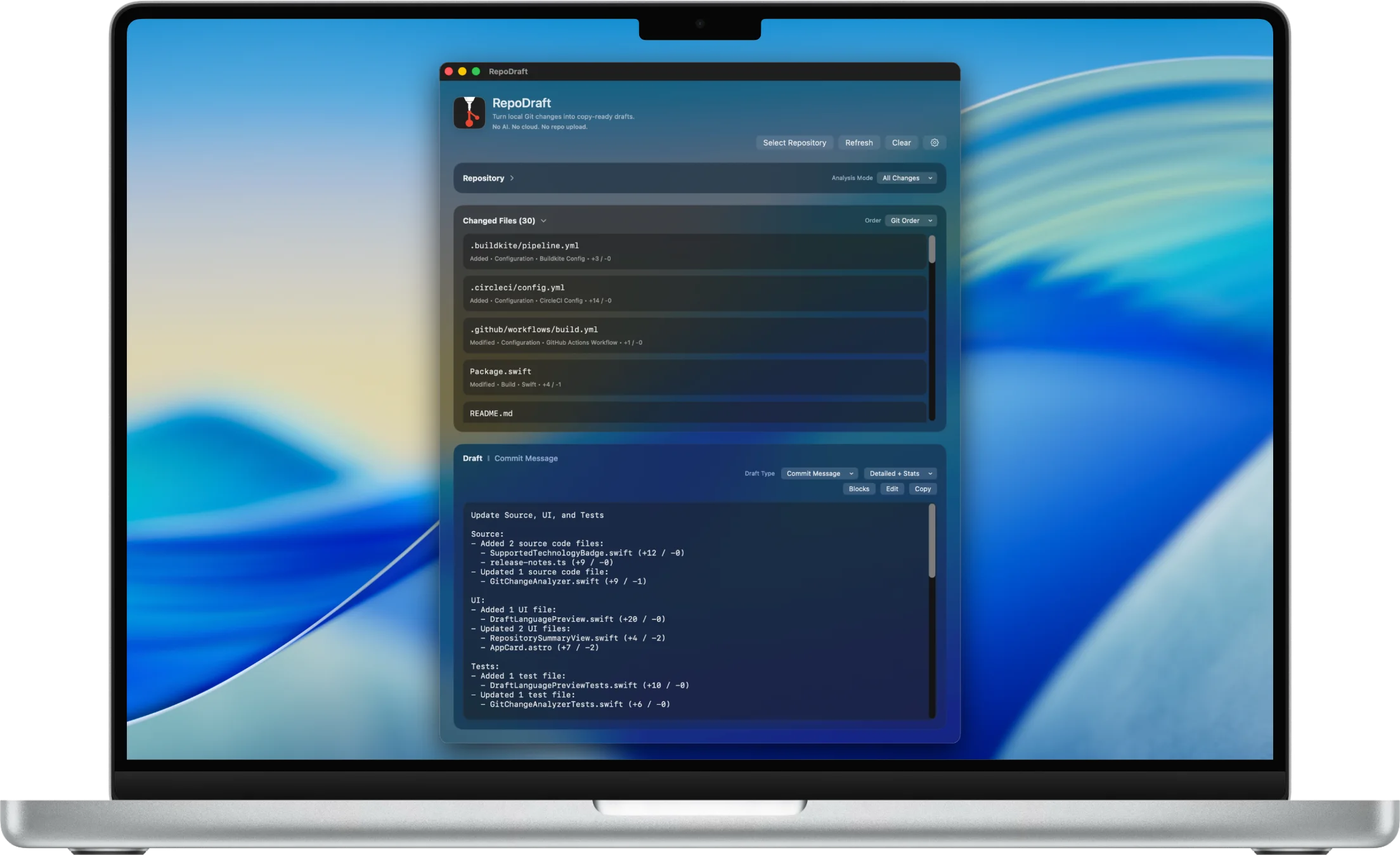
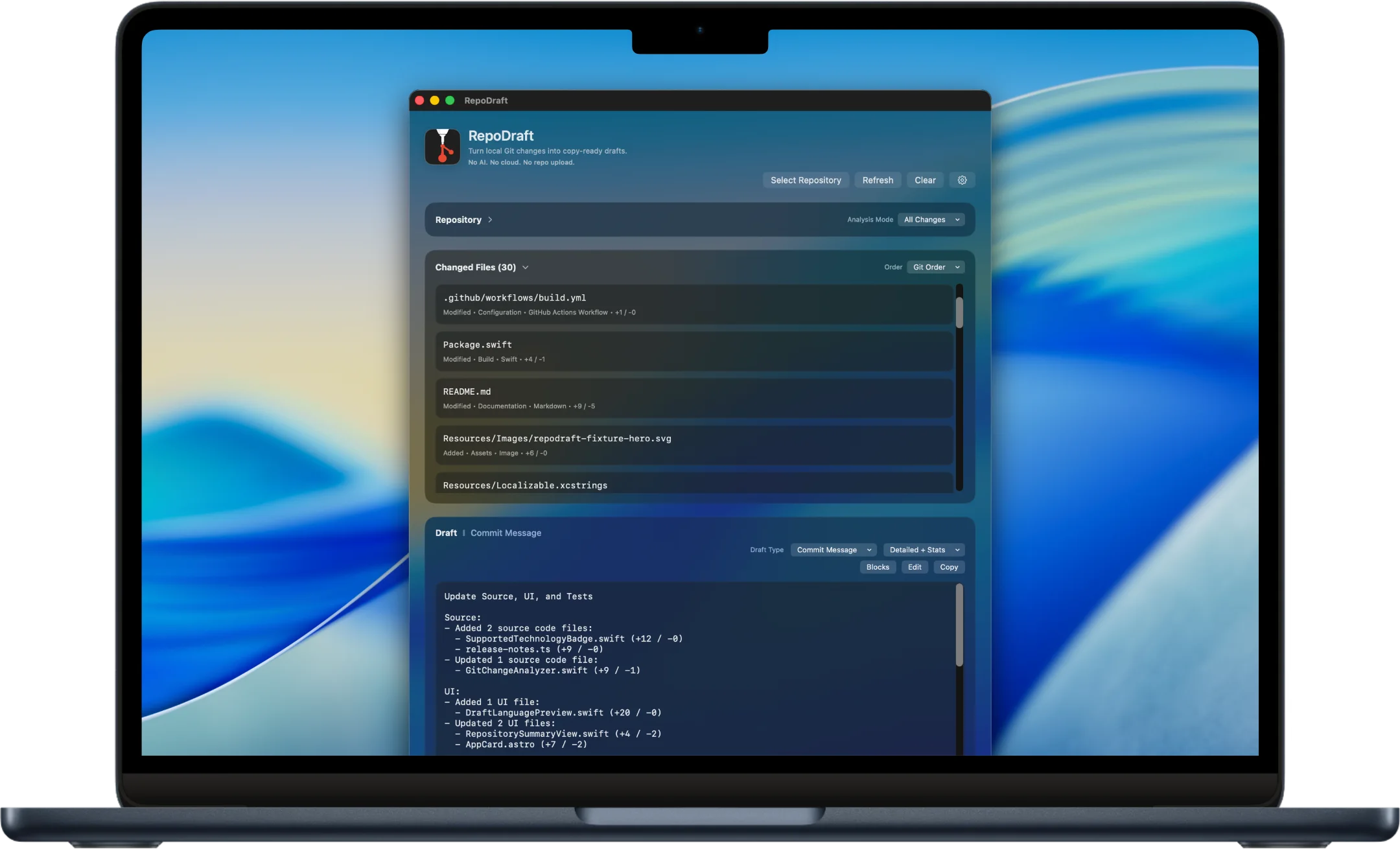
Create copy-ready Git drafts
Select a local Git repository, review the detected changes, choose the draft style you need, and copy a clean first draft in seconds.
Generate commit-message drafts from local Git changes.
Create Markdown version notes for project logs, GitHub releases, and client updates.
Draft user-facing release notes from detected change areas.
Create technical summaries with branch, mode, changed areas, changed files, and diff stats where available.
Adjust before you copy
It does not commit changes for you, push to a remote service, or replace your judgment. It gives you a useful first draft so you can review, edit, and copy the wording you want.
Review the selected repository, path, branch, and changed-file count.
Switch between All Changes and Staged Only analysis.
Use local file paths, extensions, Git statuses, and diff stats to build structured drafts.
Edit draft text manually before copying.
Screenshot walkthrough
Inspect local change signals, choose the draft shape, edit the result, and keep local boundaries visible.
Screenshot walkthrough
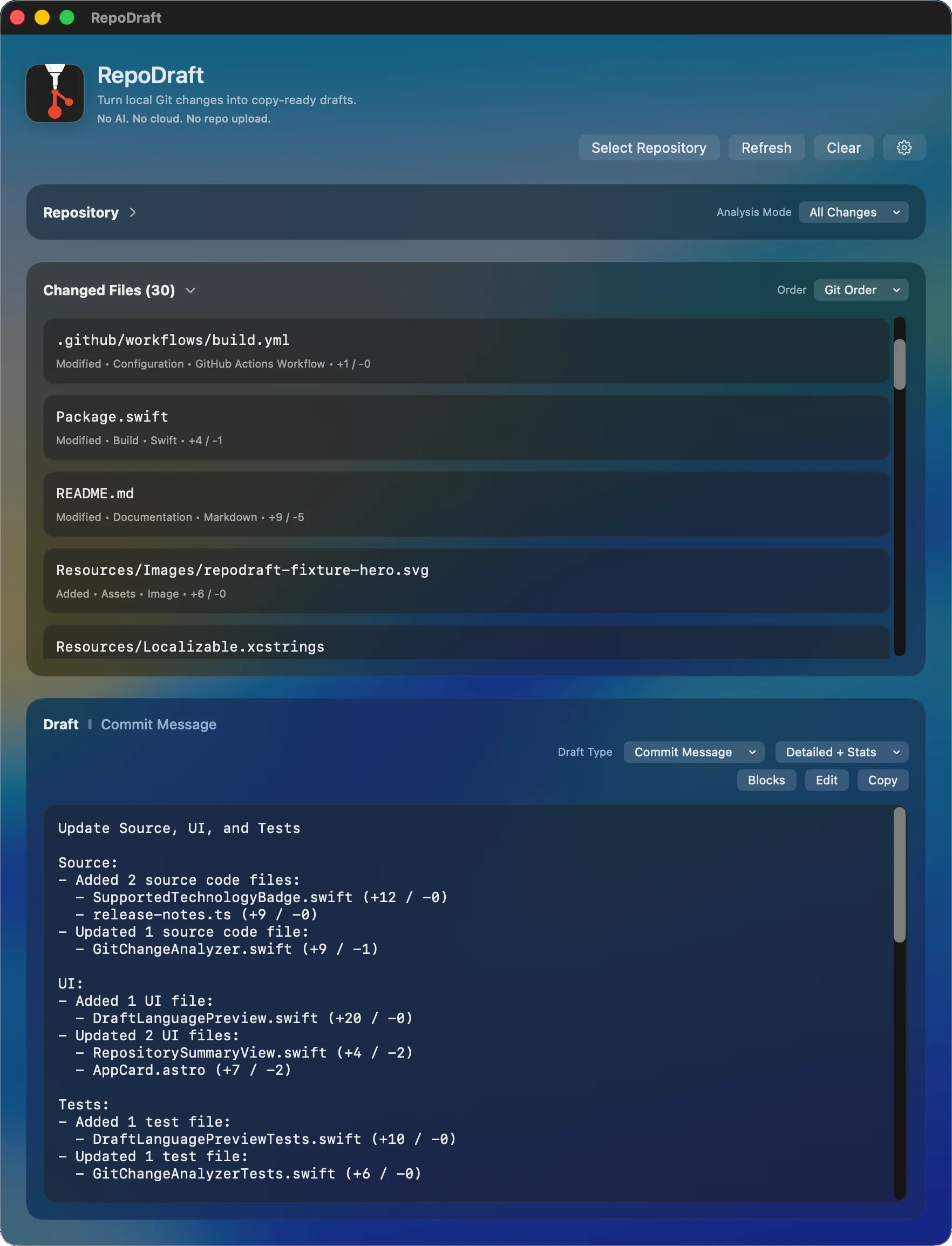
Screenshot walkthrough
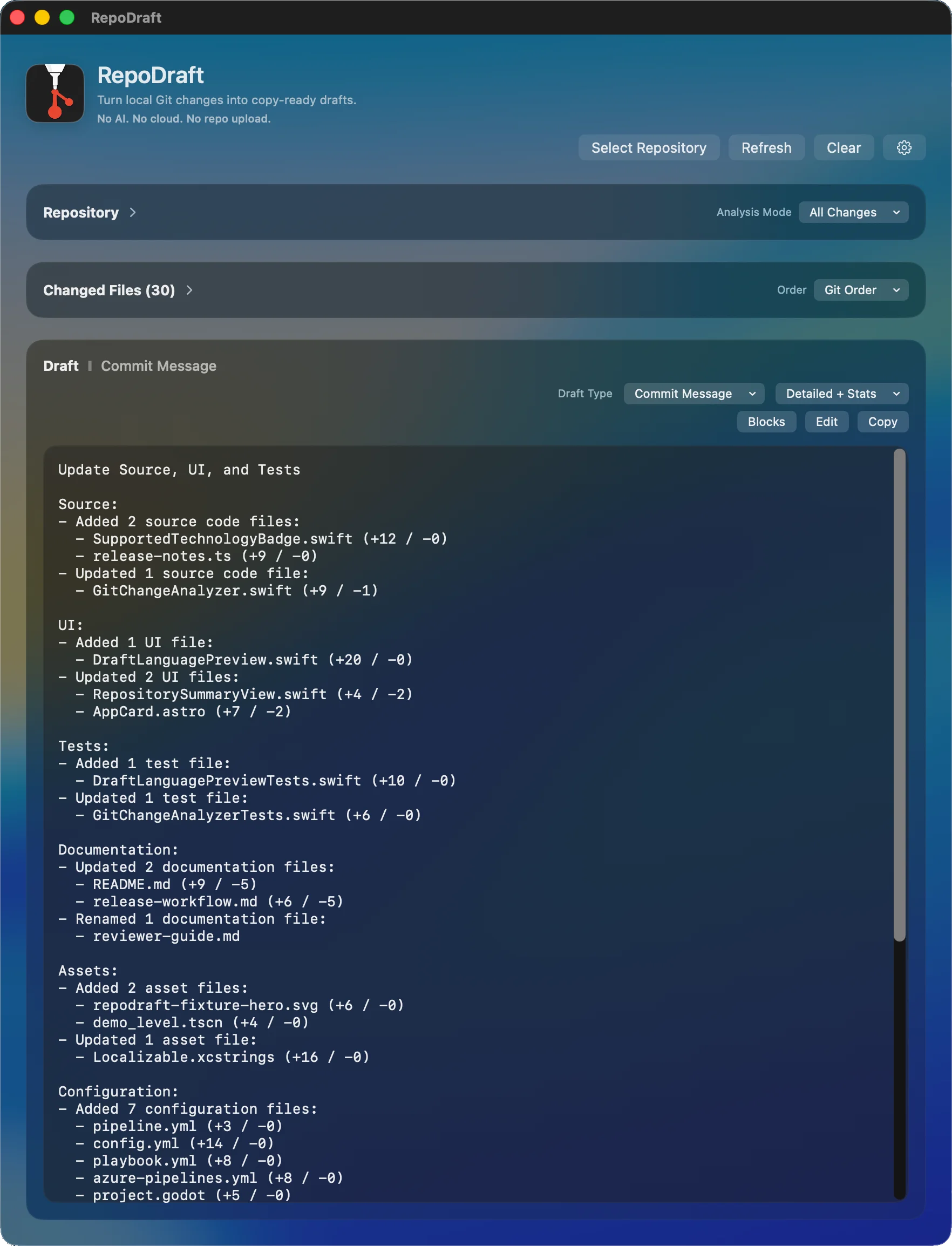
Screenshot walkthrough
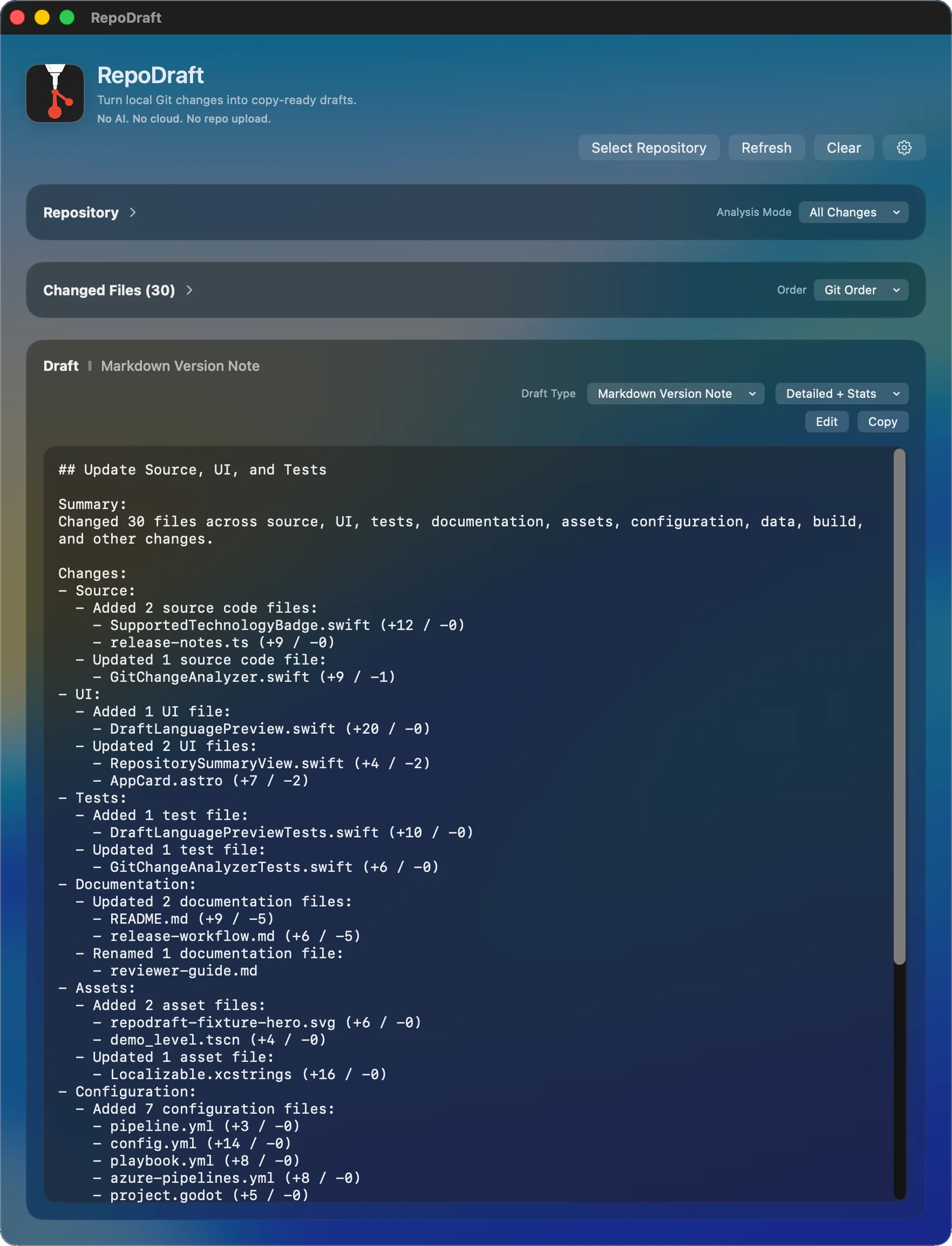
Screenshot walkthrough
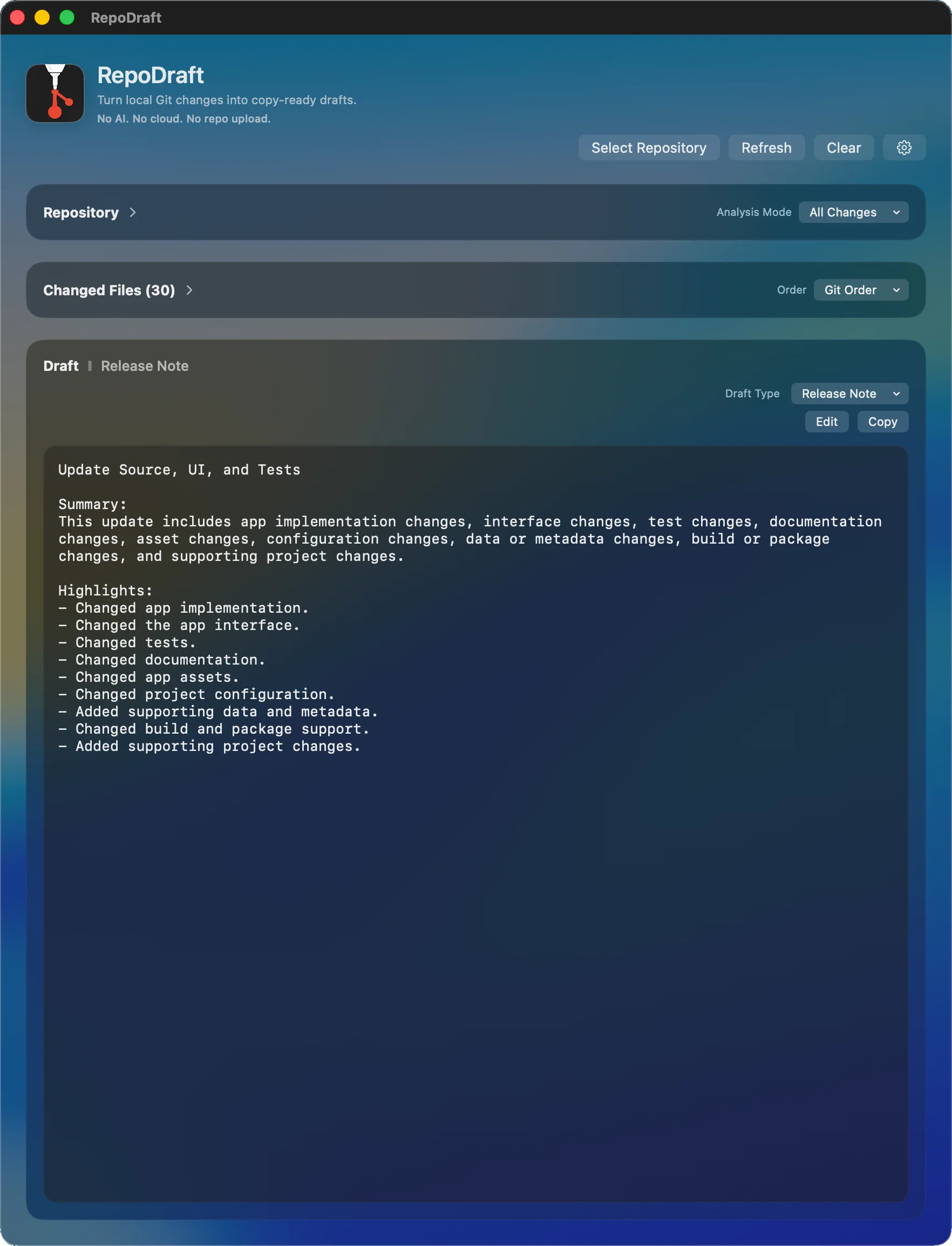
Screenshot walkthrough
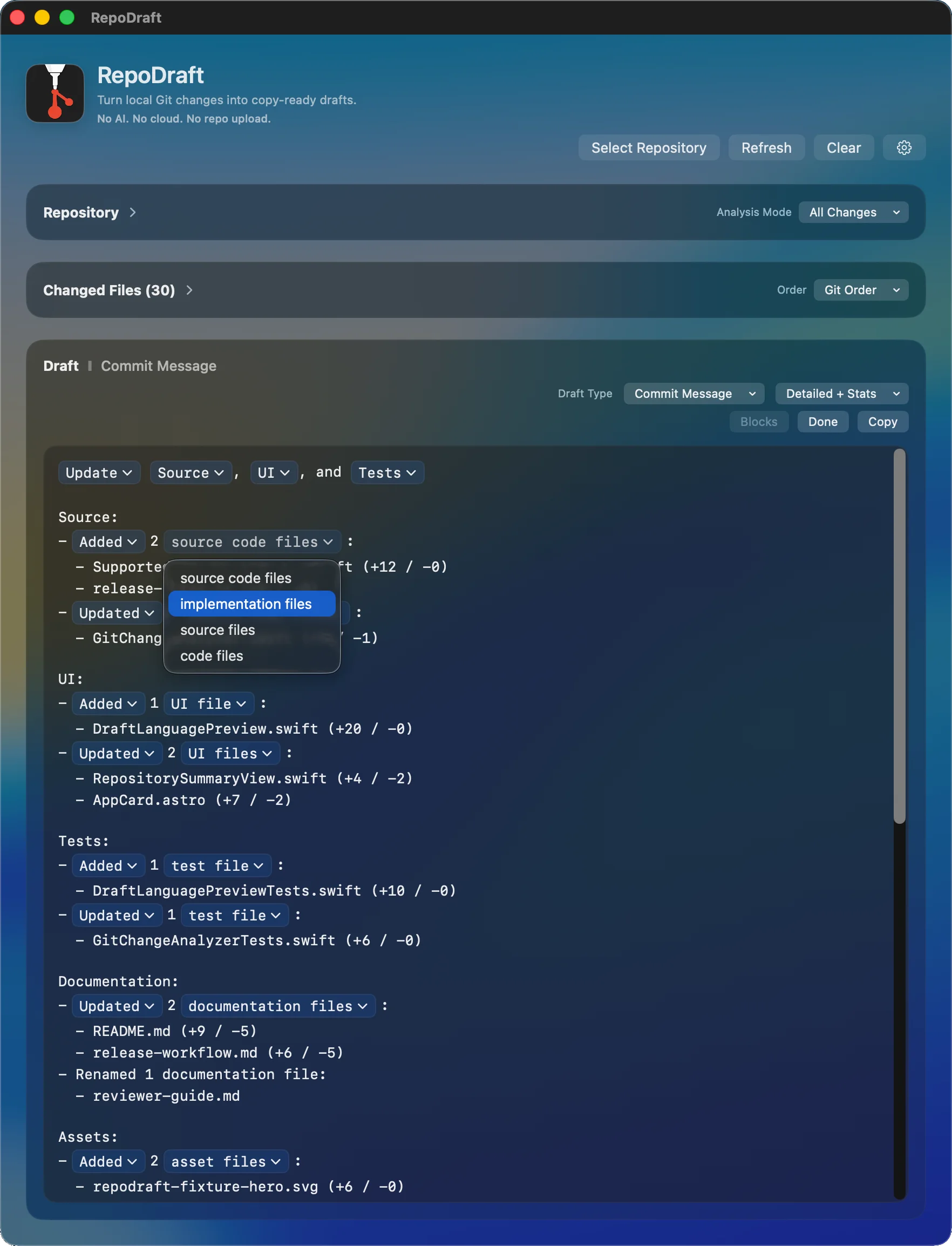
Screenshot walkthrough
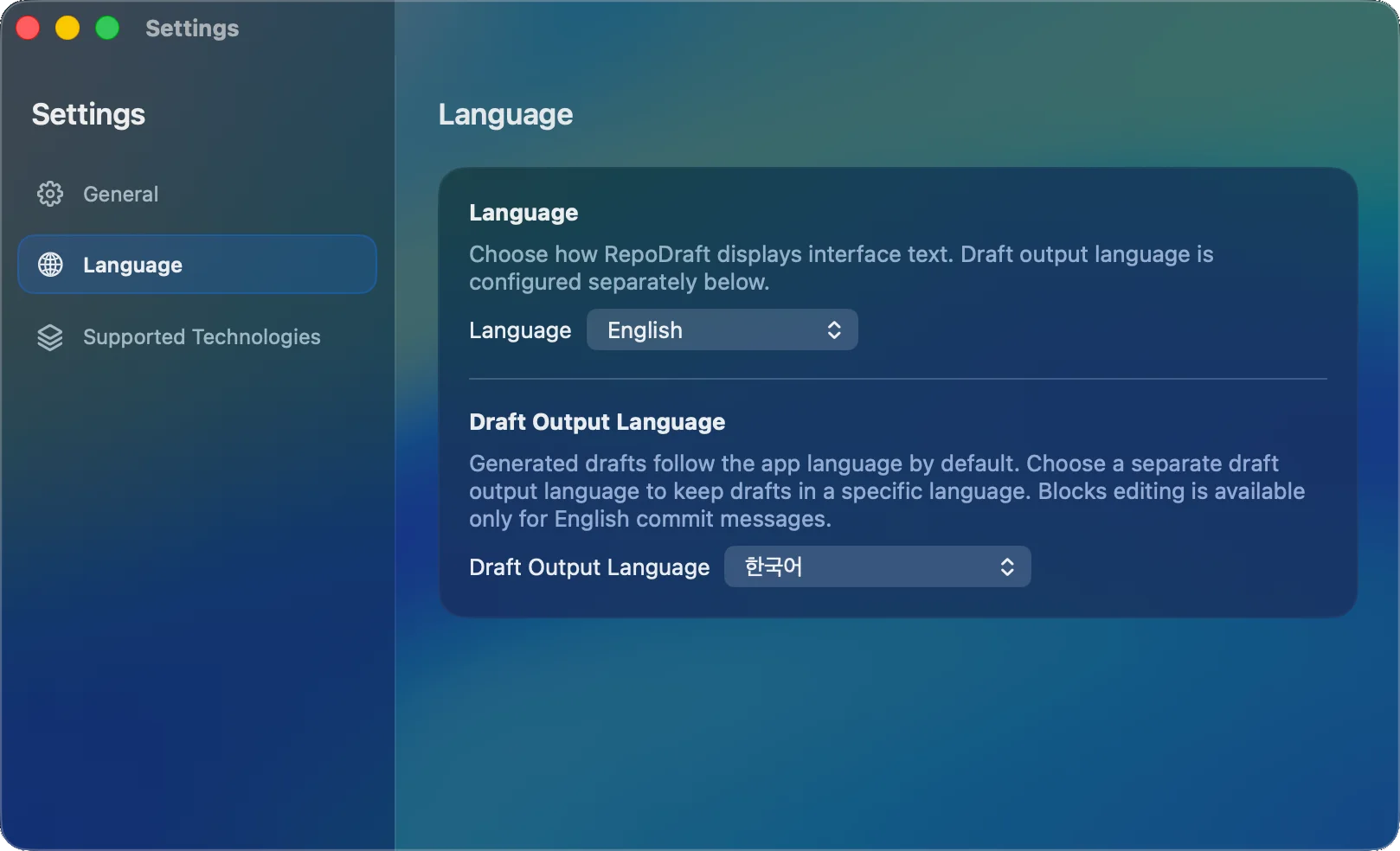
Screenshot walkthrough
Screenshot walkthrough
Private by design
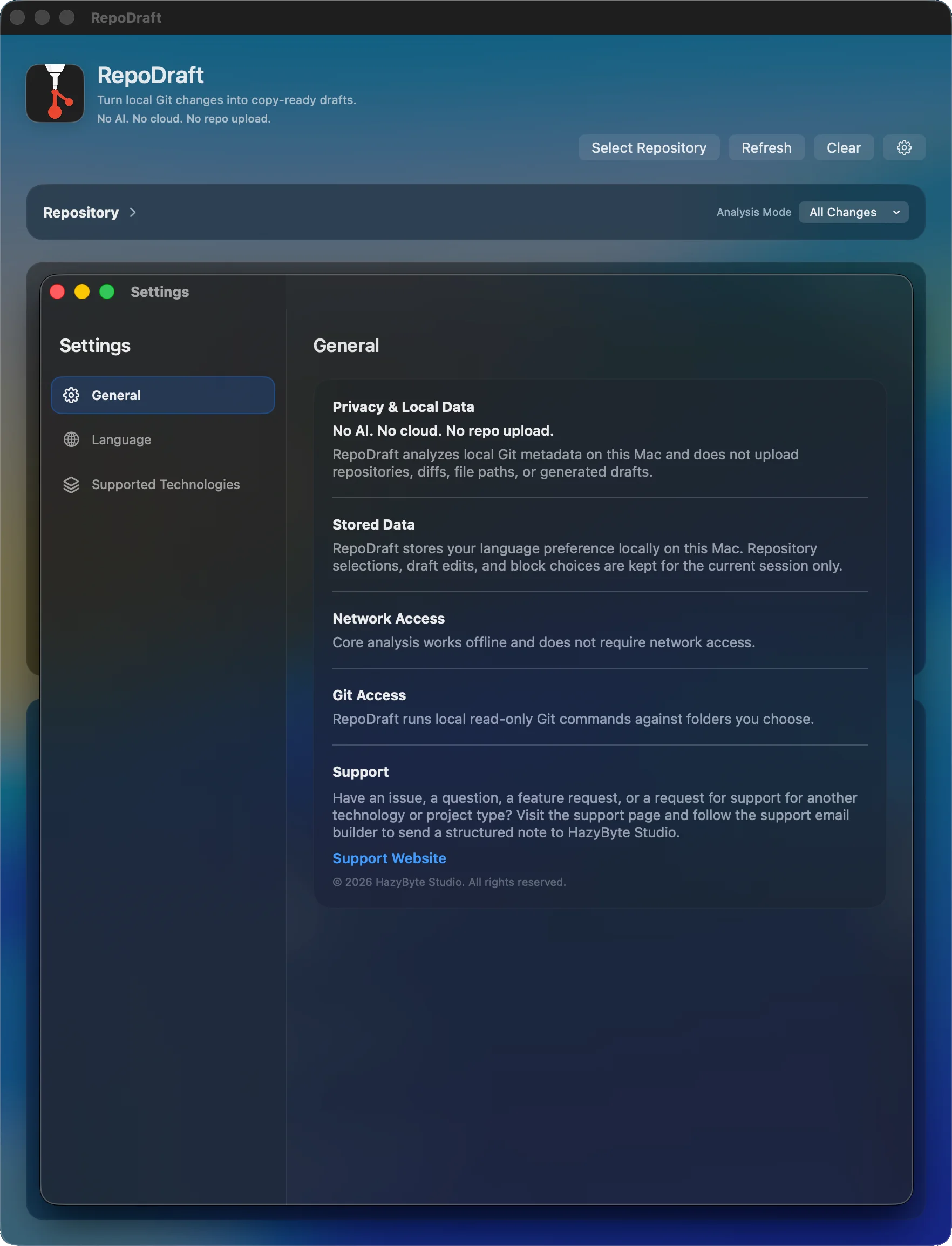
RepoDraft analyzes local Git state on your Mac and core drafting works offline.
RepoDraft analyzes local Git state on your Mac.
No AI service is used.
No GitHub, GitLab, or Bitbucket login is required.
No source code or repository upload.
No cloud sync.
No app account required.
Core drafting works offline.
Source code, diffs, file paths, repository metadata, and generated drafts are not sent by core features.
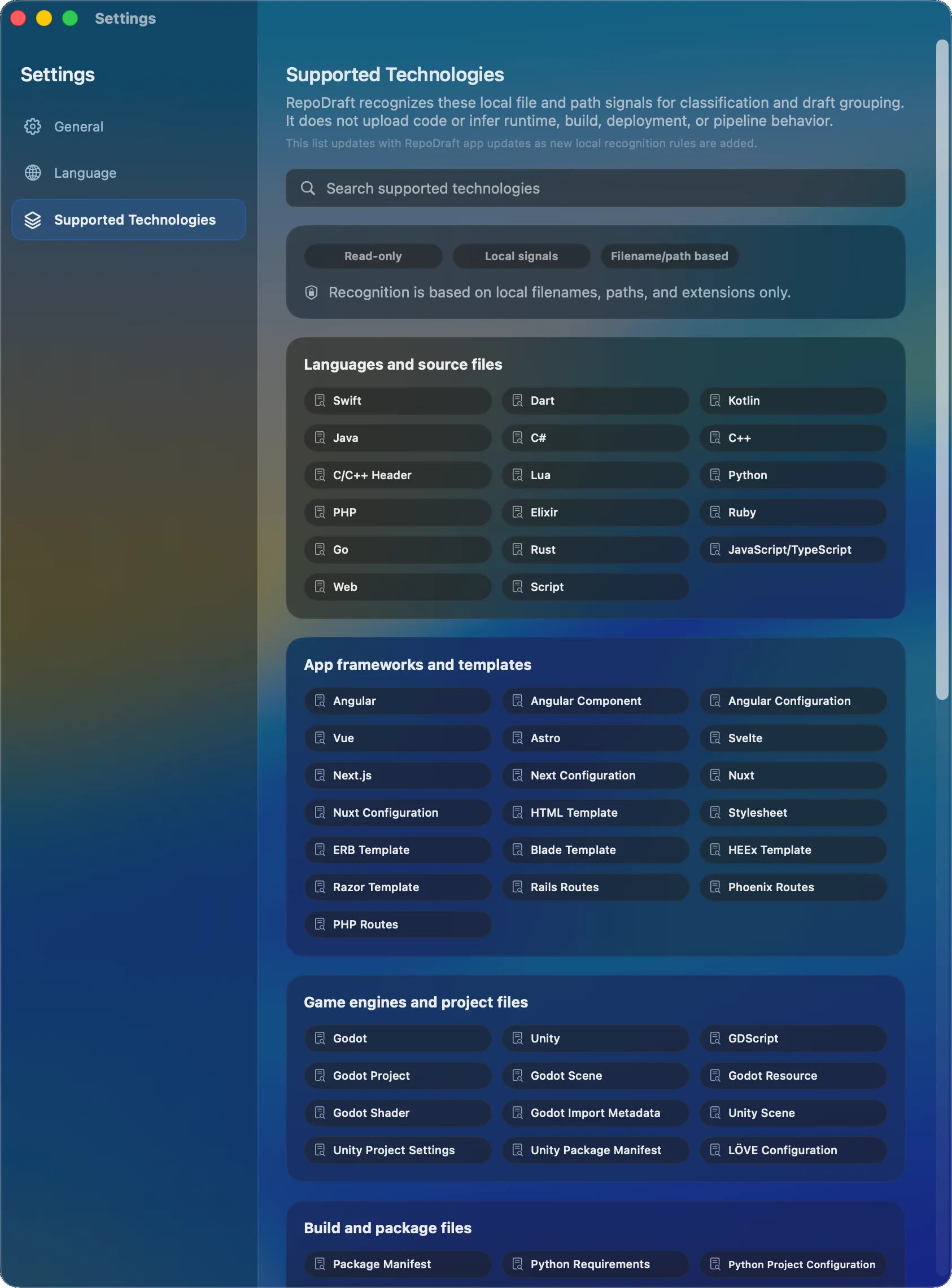
Supported local technology signals
More local recognition rules will be added in future updates.
Languages: Swift, Dart, Kotlin, Java, C#, C/C++, Lua, Python, PHP, Elixir, Ruby, Go, Rust, JavaScript/TypeScript, web files, and scripts.
Frameworks/templates: Angular, Vue, Astro, Svelte, Next.js, Nuxt, HTML, CSS, ERB, Blade, HEEx, Razor, Rails, Phoenix, and PHP routes.
Game projects: Godot, Unity, GDScript, Godot scene/resource/shader files, Unity scene/settings/manifest files, and LÖVE config.
Build/package files: package manifests, Python config, Composer, Gemfile, Mix, Go modules, Cargo, Gradle, Maven, CMake, .NET, Bazel/Starlark, Meson, Autoconf, Automake, Nix, and Xcode projects.
Infrastructure/deployment config: Terraform, Pulumi, Packer, CloudFormation, Kubernetes, Helm, Docker, and Ansible.
CI/automation config: GitHub Actions, Actionlint, Buildkite, Travis CI, Azure Pipelines, Bitbucket Pipelines, Drone CI, AppVeyor, CircleCI, GitLab CI, and Jenkins.
Docs/assets/data: Markdown, images, Android resources, JSON, YAML, property lists, localization files, and ARB localization.
Review before using
RepoDraft gives you a useful first draft so you can review, edit, and copy the wording you want.