Hazybyte Studio
Commitick app icon.

macOS developer utility

Commitick

Automatic Git snapshots for Mac projects.

Commitick watches selected folders on your Mac, waits for meaningful changes to settle, and creates local snapshot history in the background so good project states are easier to find again.

macOS developer utilityAutomatic snapshotsSelected foldersLocal-first history
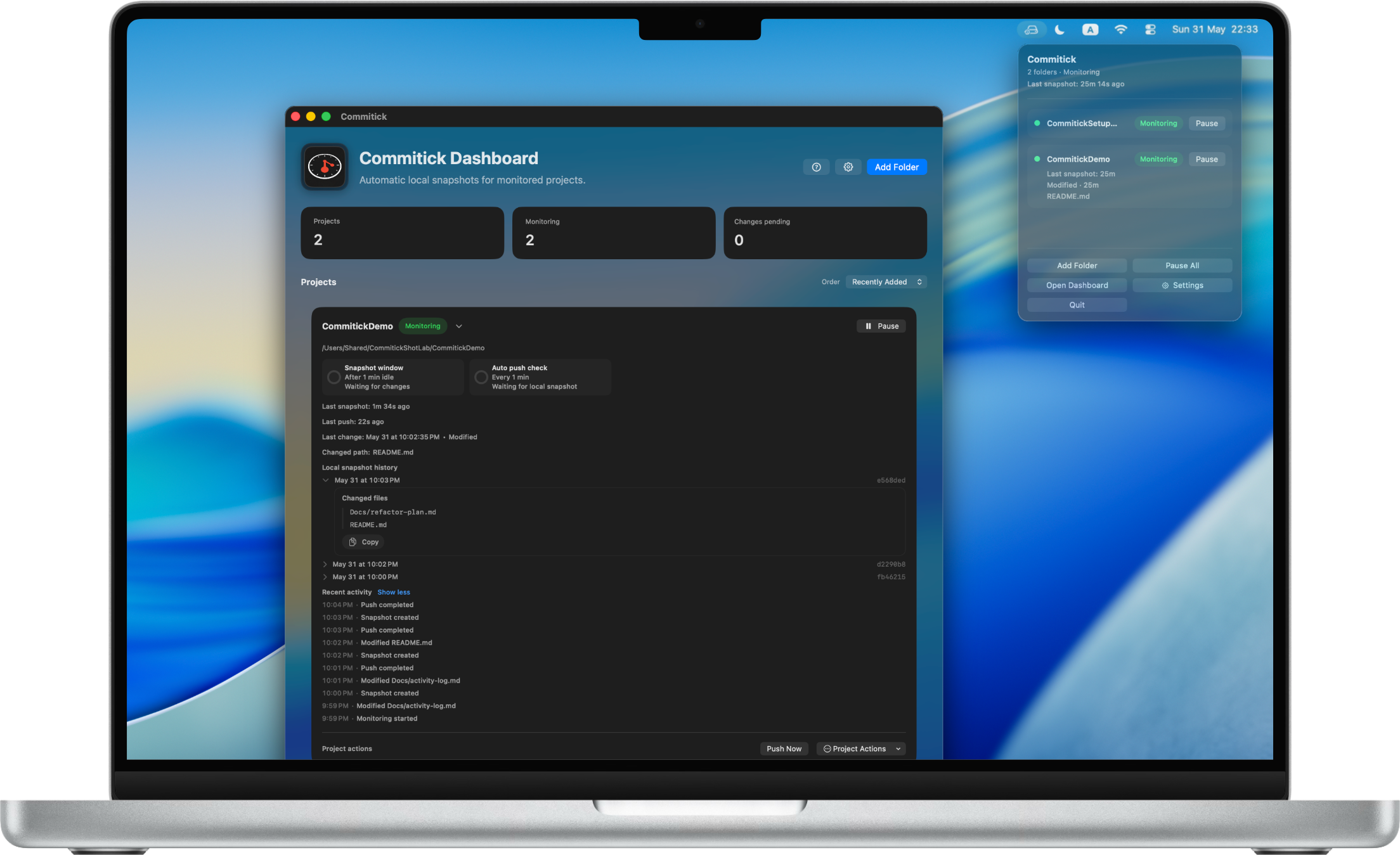
Commitick on a MacBook Pro showing monitored project snapshots and project status.

Watch Selected Mac folders

Wait Settled meaningful changes

Keep Local snapshot history

Control Snapshot, push, pause, resume

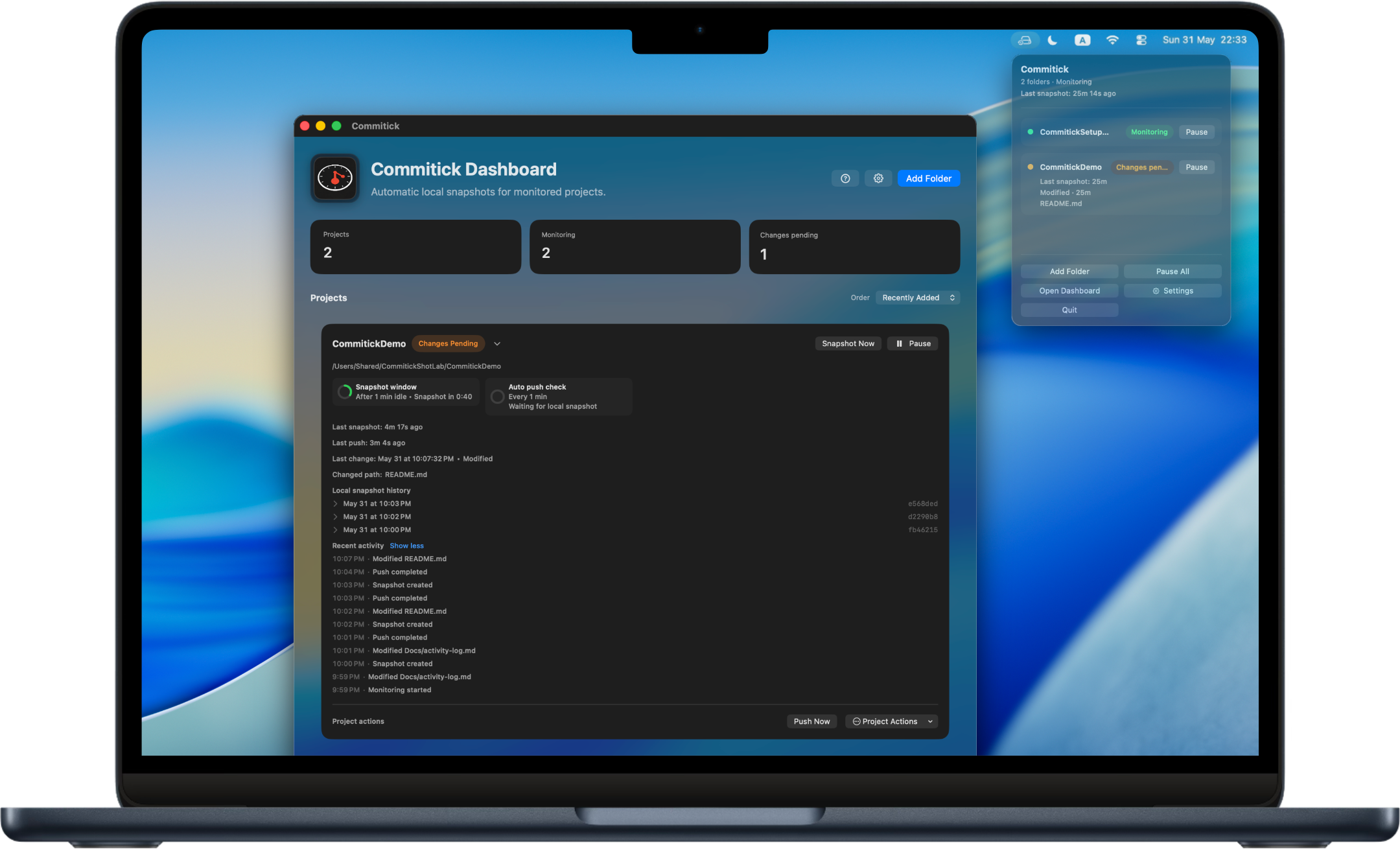
Commitick monitoring a Mac project with changes pending and project status visible.

Autosave-style checkpoints

Recoverable project history without perfect commit discipline.

Commitick is designed for the messy middle of development: the refactor that is not ready, the experiment you want to keep, and the state you might need to inspect later.

Work normally

Keep editing in your usual tools while Commitick monitors selected project folders in the background.

Let changes settle

Commitick waits for meaningful changes to calm down before recording a new checkpoint.

Review local history

Snapshot history stays visible as a project timeline, making good states easier to find again.

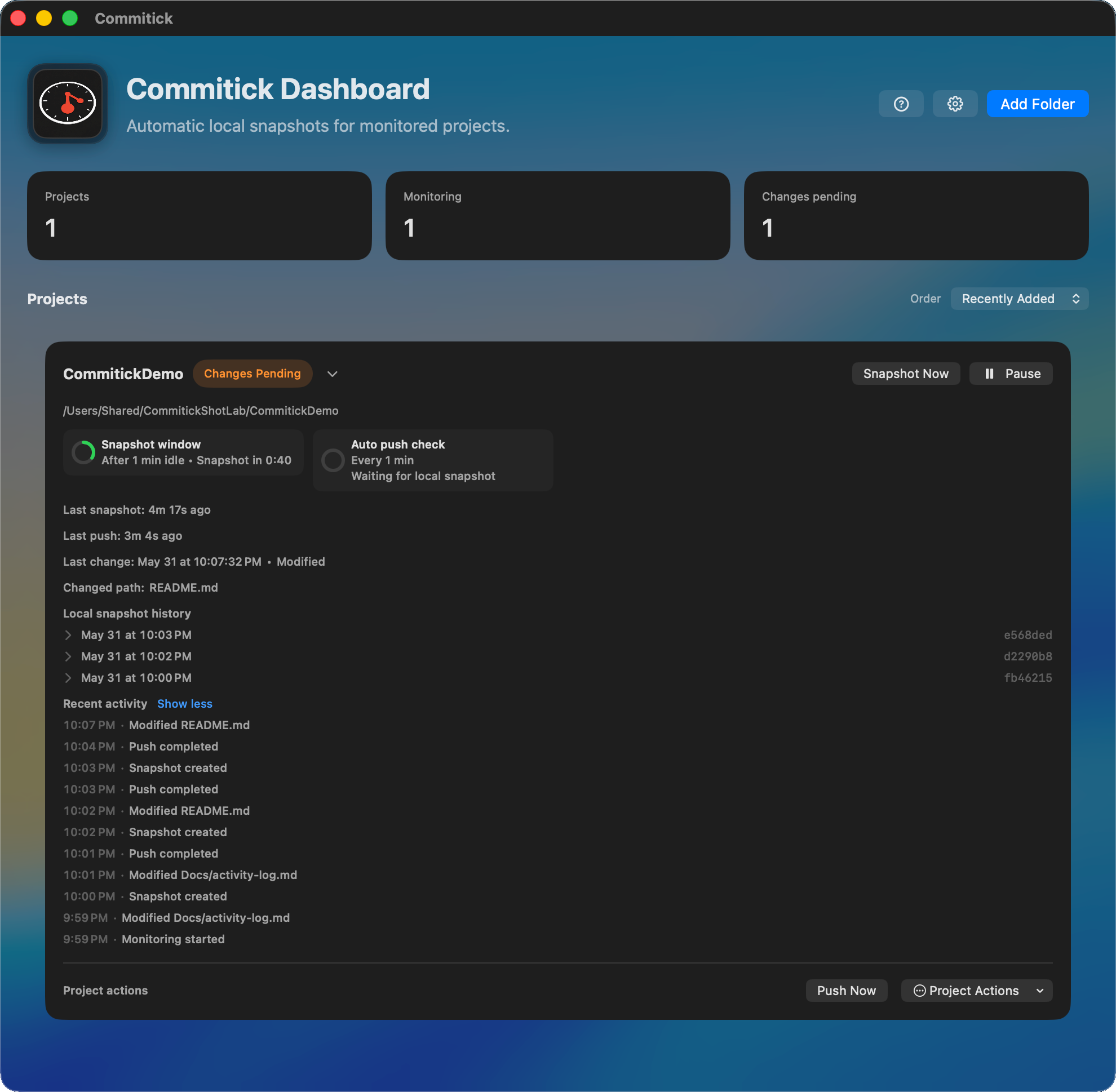
Control when you need it

Automatic by default, explicit when it matters.

Automatic snapshots handle the background rhythm. Snapshot Now, Push Now, Pause/Resume, and rules keep the workflow under your control.

Snapshot Now

Capture a point before risky work.

Create an intentional snapshot before refactors, dependency changes, experiments, or anything you want marked clearly.

Push Now

Push when you choose.

If you choose to push, snapshot history goes to the Git remote you configure rather than a Commitick-operated source store.

Pause / Resume

Stop watching when a project needs quiet.

Pause monitoring for a selected project, then resume when you want automatic snapshots again.

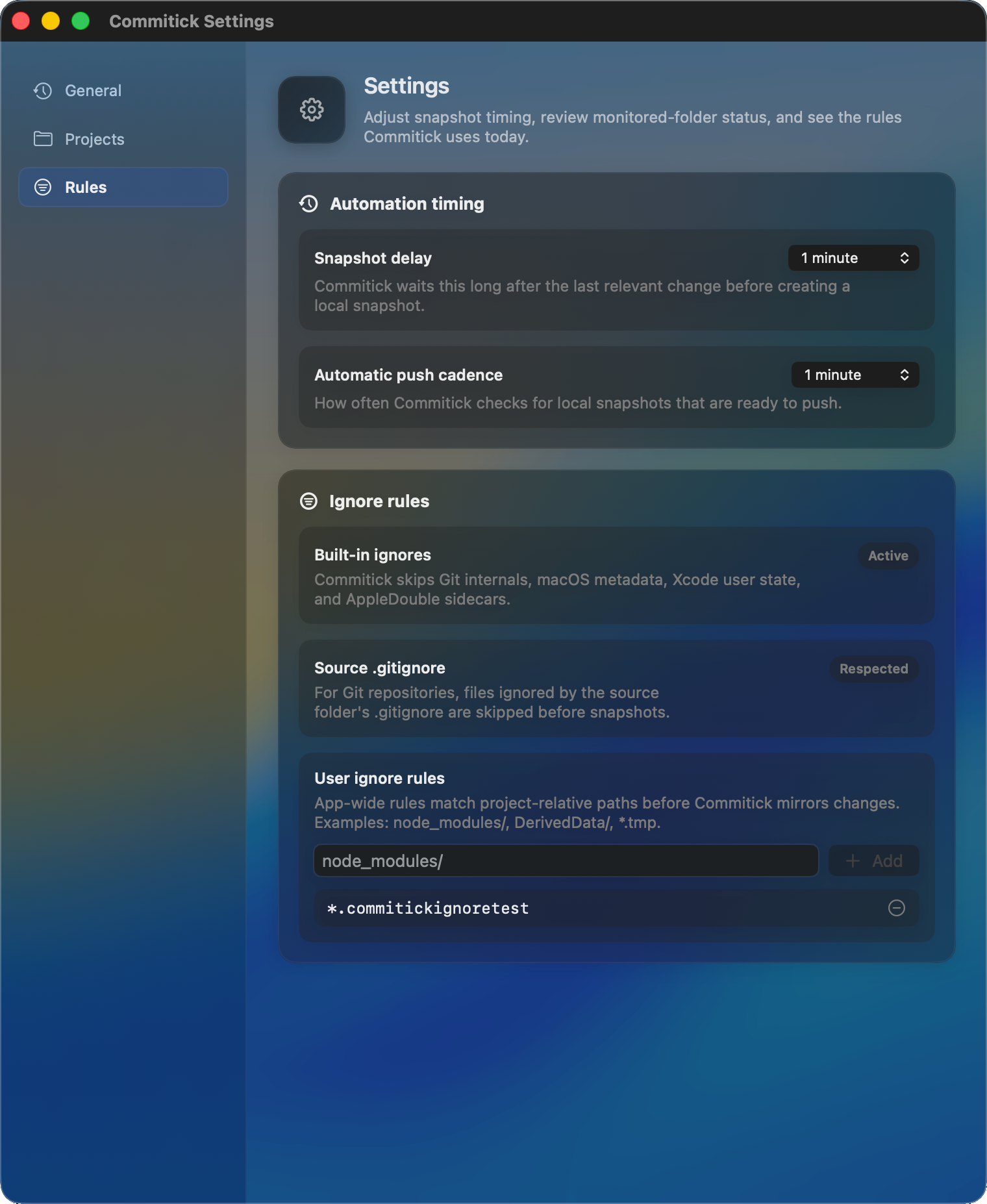
Rules

Fit the watcher to the project.

Use rules and ignore settings so generated files, noisy folders, and local-only details stay out of snapshot decisions.

Project workflow

Folder monitoring, history, and rules in one Mac app.

Commitick keeps project state visible from the first selected folder through automatic history, manual checkpoints, push choices, and ignore settings.

Add folder
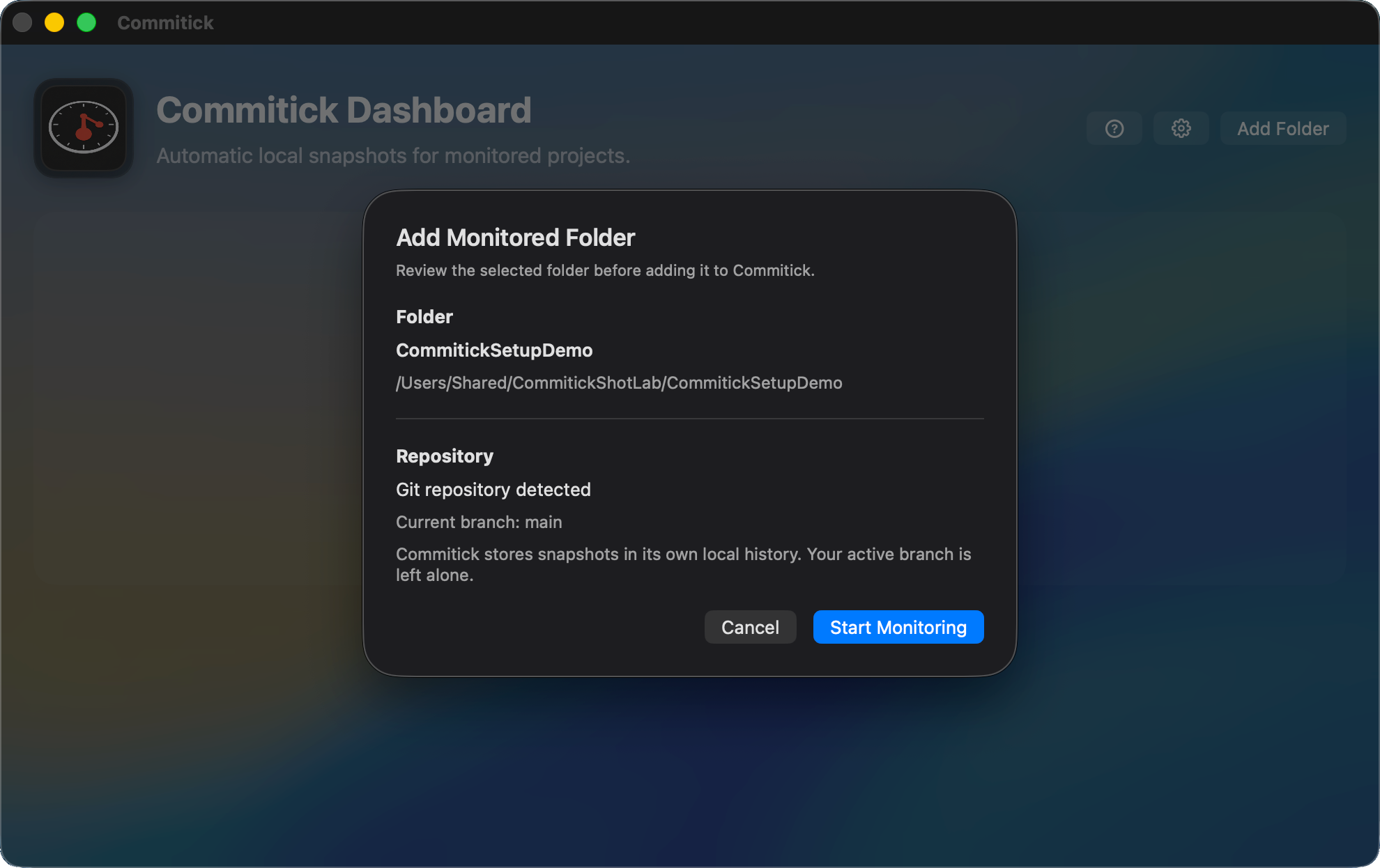
Start with projects you select.

Commitick monitors folders you choose. The app is built around project-level visibility rather than broad drive scanning.
Commitick add folder screen for selecting a project folder to monitor.

Tutorial

Learn the snapshot workflow.

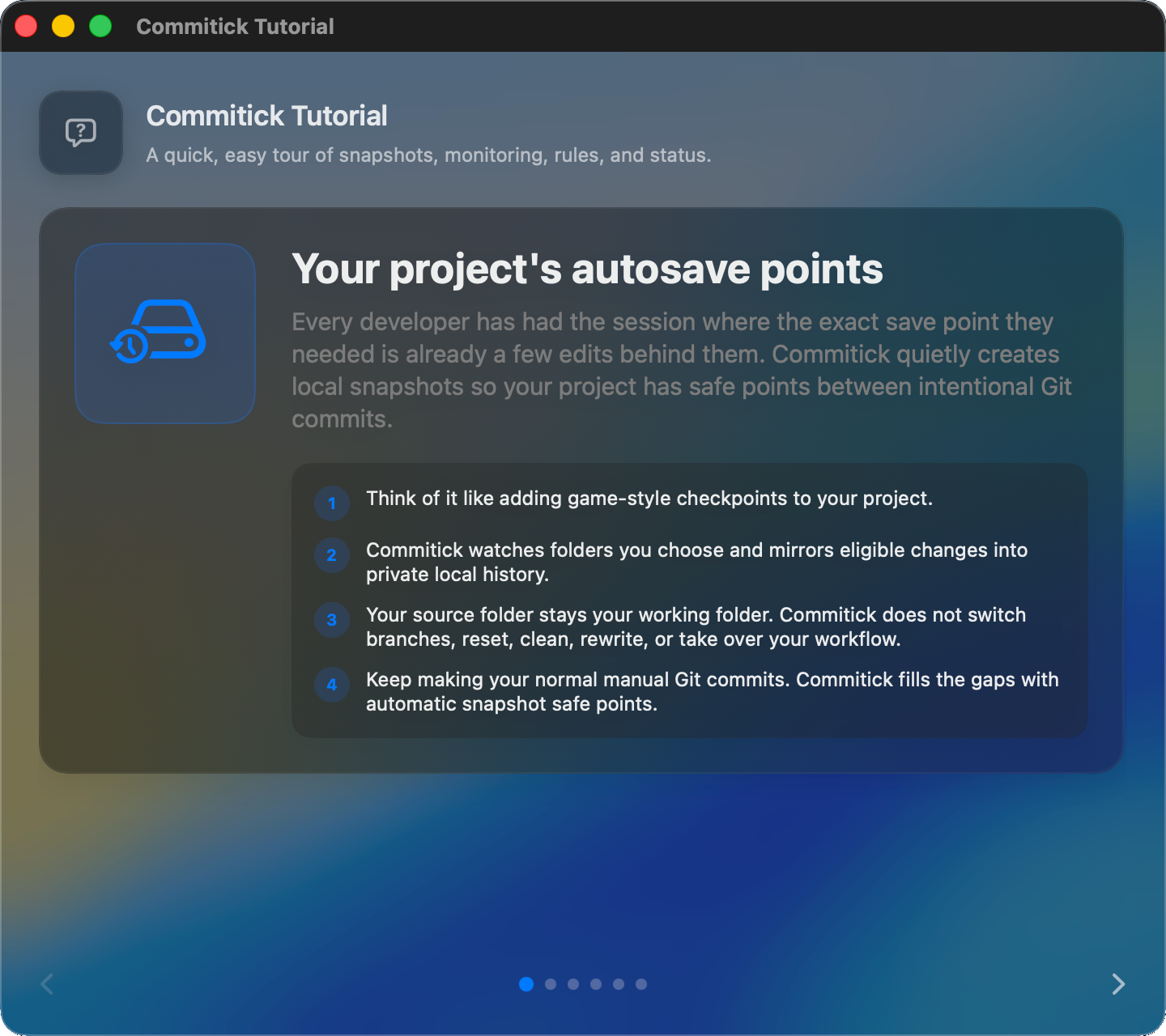
The tutorial explains snapshots, monitoring, rules, status, repair, and push behavior.
Commitick tutorial overview explaining snapshots, monitoring, rules, status, repair, and push behavior.

Status

Project health at a glance.

See whether a project is monitoring, paused, waiting for changes, or ready for an intentional action.
Commitick MacBook mockup showing monitoring changes and project status.

History

Local checkpoints stay readable.

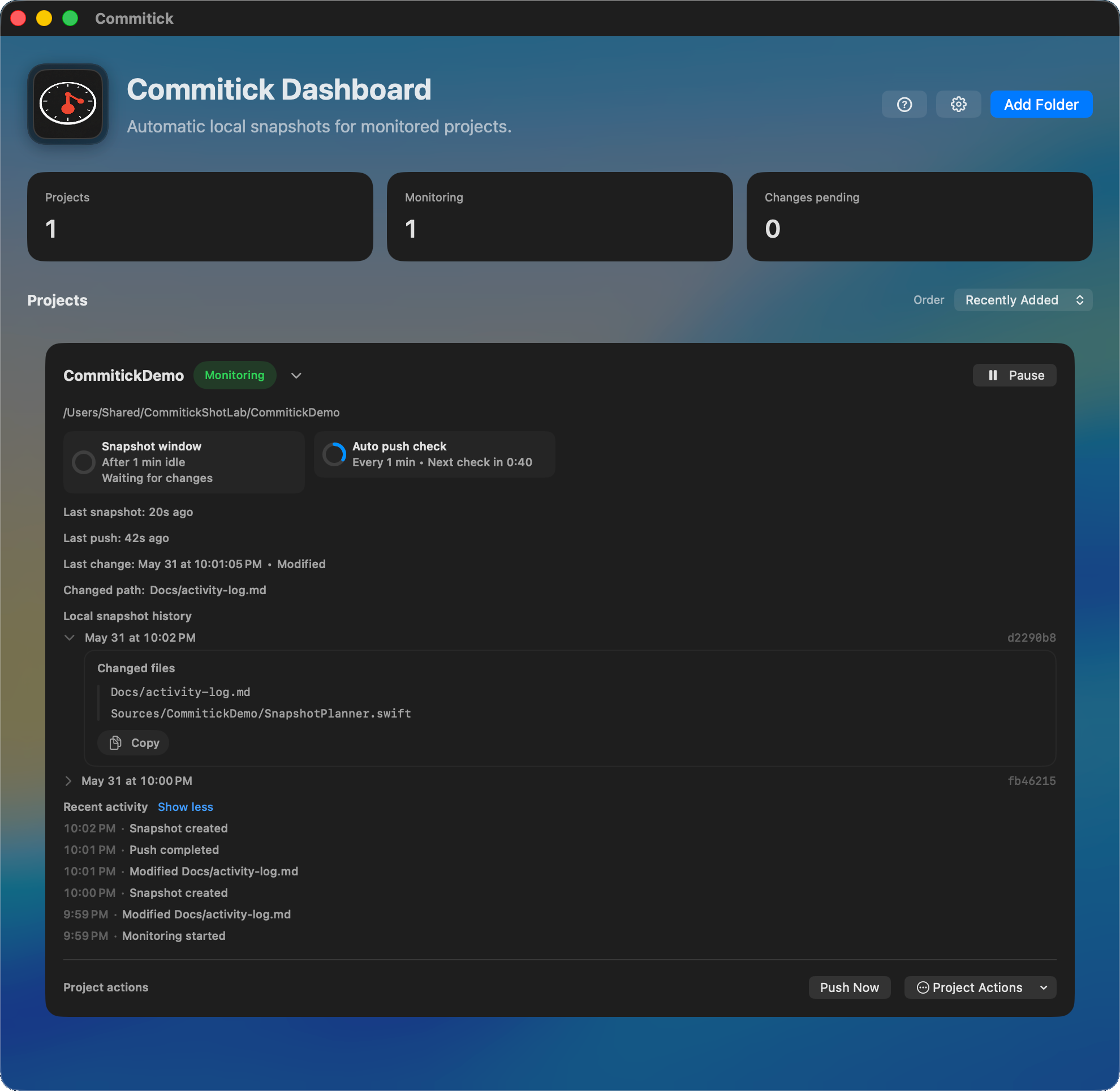
Snapshot history gives each project a trail of recoverable states without requiring perfect commit discipline.
Commitick dashboard showing completed push status and open snapshot history.

Rules

Keep noise out of the timeline.

Rules and ignore settings help Commitick focus on project work instead of generated or irrelevant changes.
Commitick settings screen showing rules and ignore configuration.

Control

Snapshot before risk. Push when ready.

Create an immediate safe point, push managed snapshot history when you choose, or pause monitoring while a project is noisy.
Commitick dashboard showing changes pending with Snapshot Now, Pause, and Push Now controls.

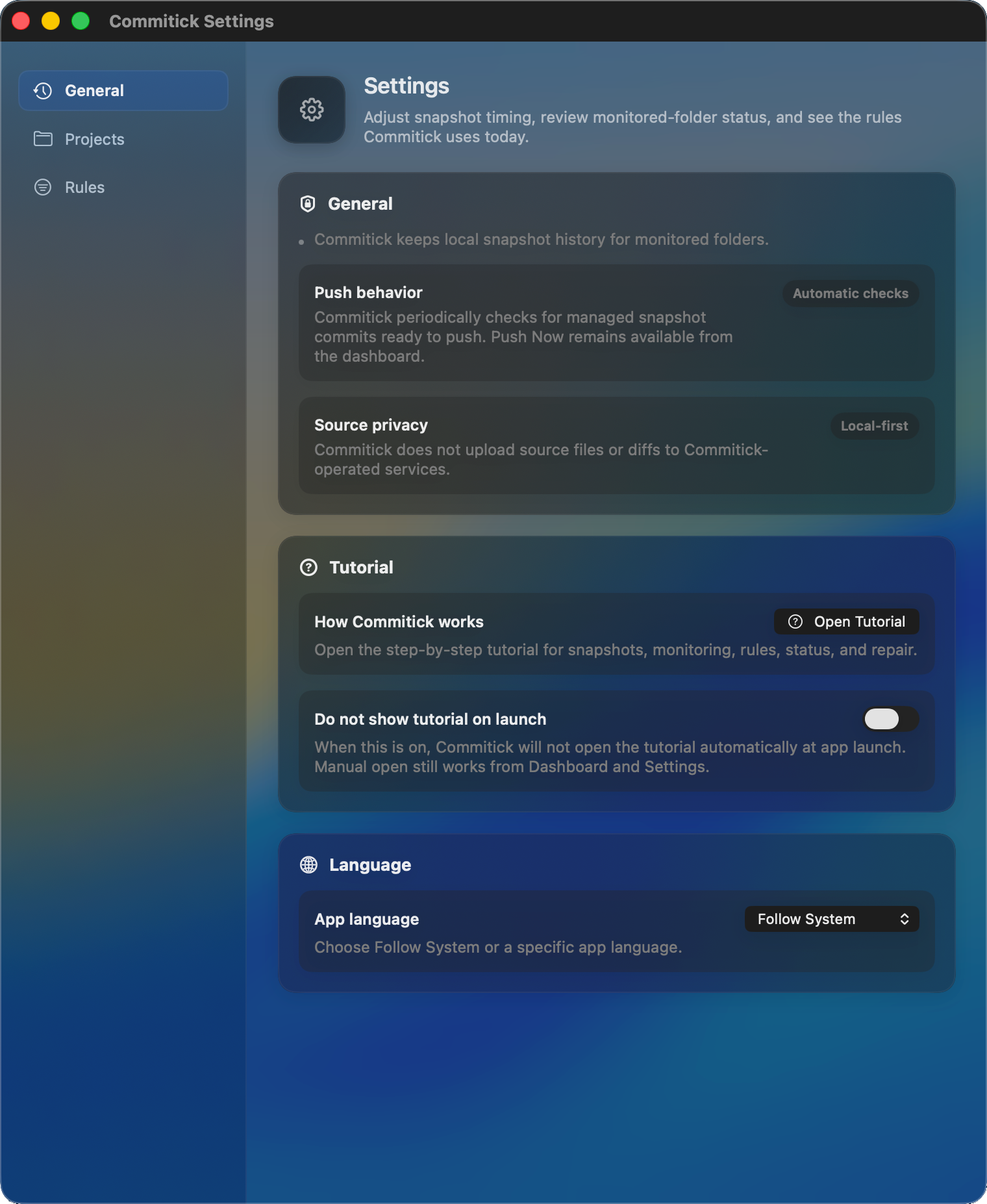
Privacy

Local-first by design.

Source files and diffs are not uploaded to Commitick-operated services.
Commitick settings showing source privacy and local-first messaging.

Safe by design

Source work stays yours, and snapshots stay separate.

Commitick is local-first and intentionally careful around active project folders. It records Commitick-managed snapshot history without taking over your current branch or rewriting your source working tree during normal monitoring.

Commitick does not switch your active branch behind your back.

Commitick does not rewrite your source working tree during normal monitoring.

Commitick keeps source-folder work separate from Commitick-managed snapshot history.

Source files and diffs are not uploaded to Commitick-operated services.

If you choose to push, snapshot history goes to the Git remote you configure.

Commitick is not a replacement for your normal backup strategy.

Support and policies

Read the app boundaries before you rely on the timeline.

Commitick helps keep a local project history, but it does not replace your usual Git judgment, remote setup, or backup practice.