Hazybyte Studio
OnMyDesk app icon.

Private vault

OnMyDesk

One local-first vault for files and captured content across Apple devices.

OnMyDesk is built for documents, PDFs, notes, links, scans, images, audio, video, transcripts, OCR search when enabled, tags, categories, pins, filters, backup, restore, and Share Extension workflows.

iPhone, iPad & MacLocal-first vaultNo ads or account
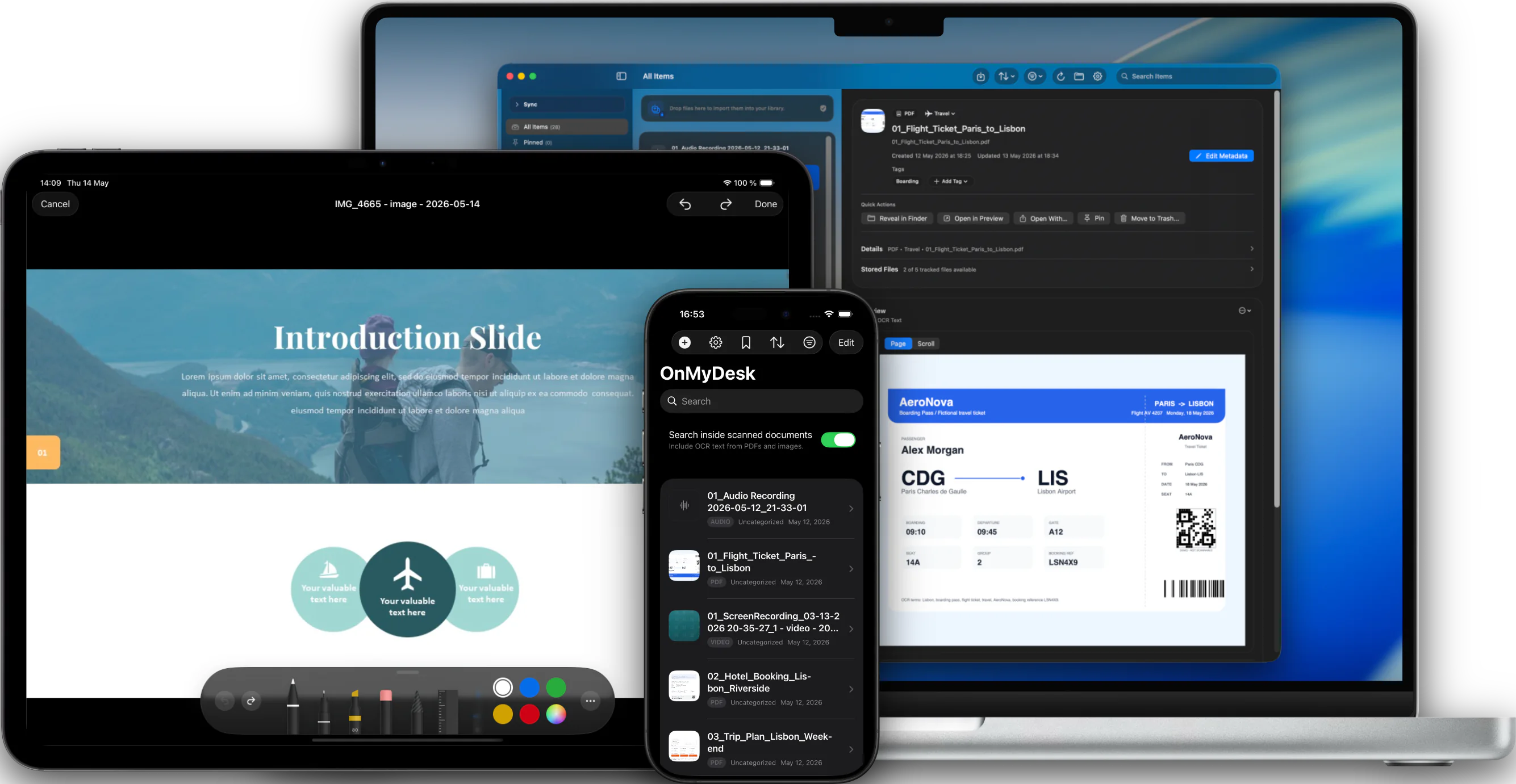
OnMyDesk shown across Mac, iPad, and iPhone.

Device workflows

Built around the device in front of you.

The same local-first vault model can adapt to each screen: quick capture on iPhone, a larger review canvas on iPad, and Mac workflows for files, previews, and backups.

iPhone

Capture now. Find it later.

Scan, record, import, or save from another app, then use search, tags, filters, and Spotlight to get back to the item when it matters.

Library

Daily Material in Reach

Keep mixed files, notes, links, scans, photos, audio, and video together for quick daily access.
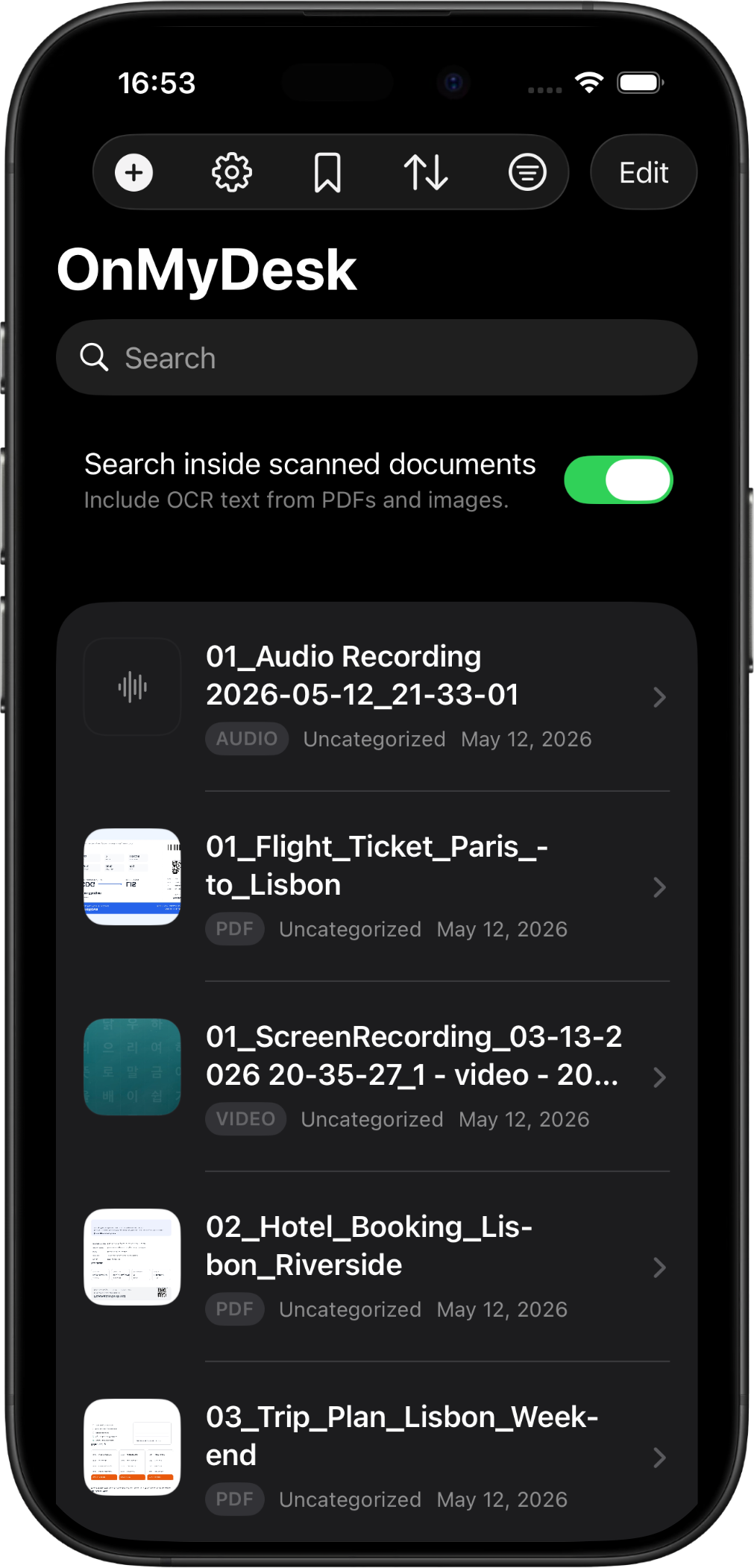
OnMyDesk on iPhone showing an organized private vault library.

Capture on the go

Add From the Moment

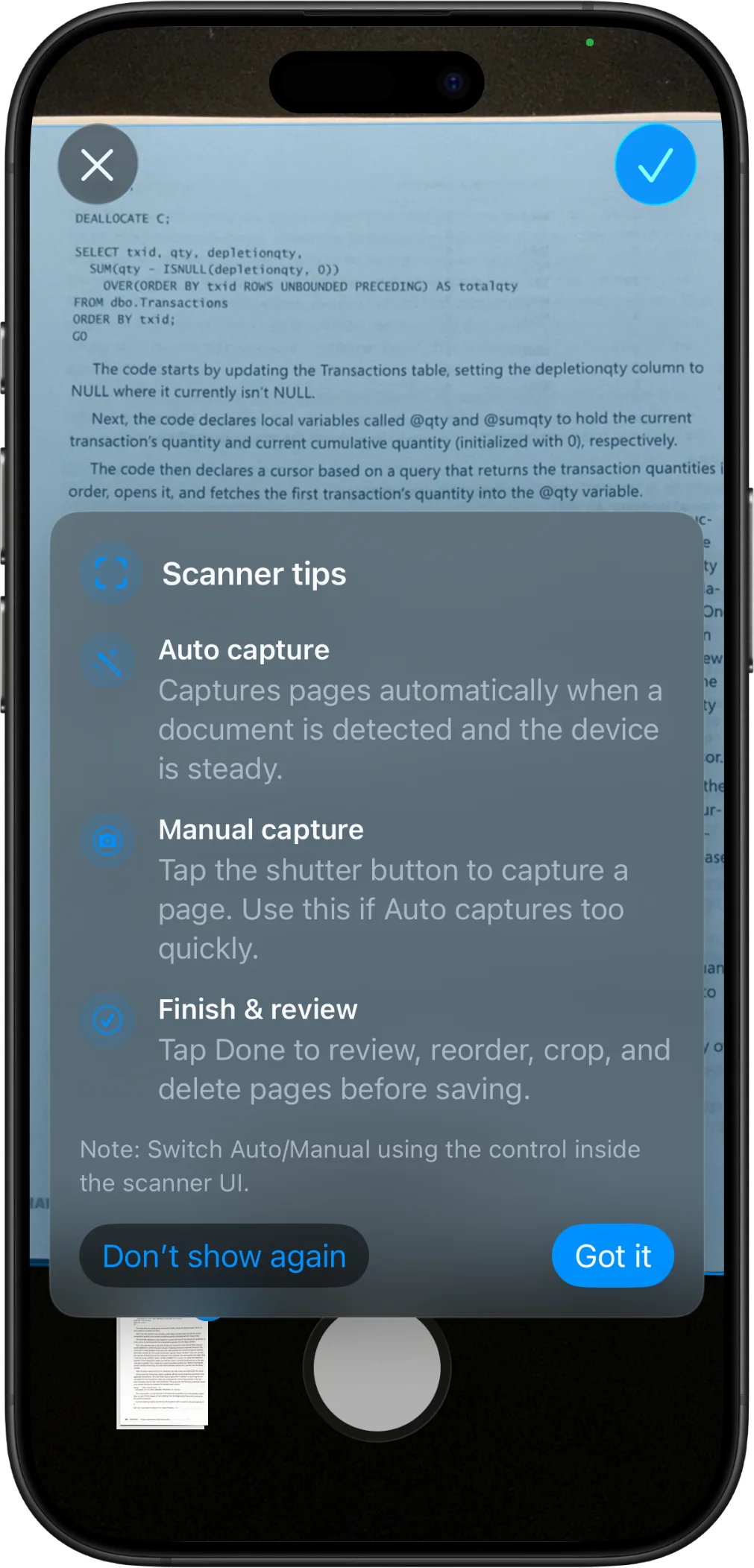
Scan paper, import files, record audio, or save into OnMyDesk from another app.
OnMyDesk on iPhone showing a document scan workflow.

Search

Look Beyond Titles

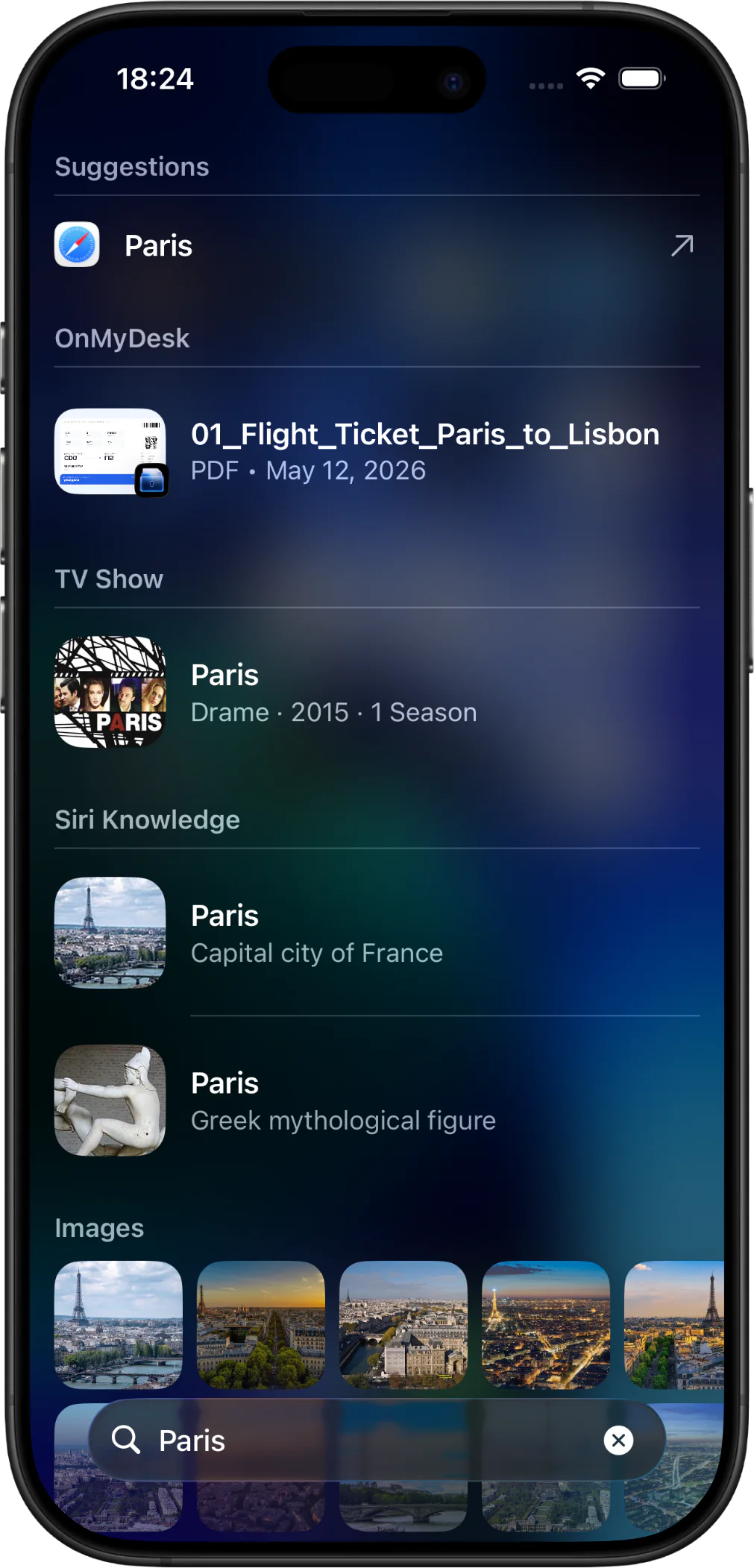
Search vault details, iPhone Spotlight, and supported OCR text when OCR indexing is enabled.
OnMyDesk on iPhone showing vault search and Spotlight results.

Categories and tags

Shape the Library

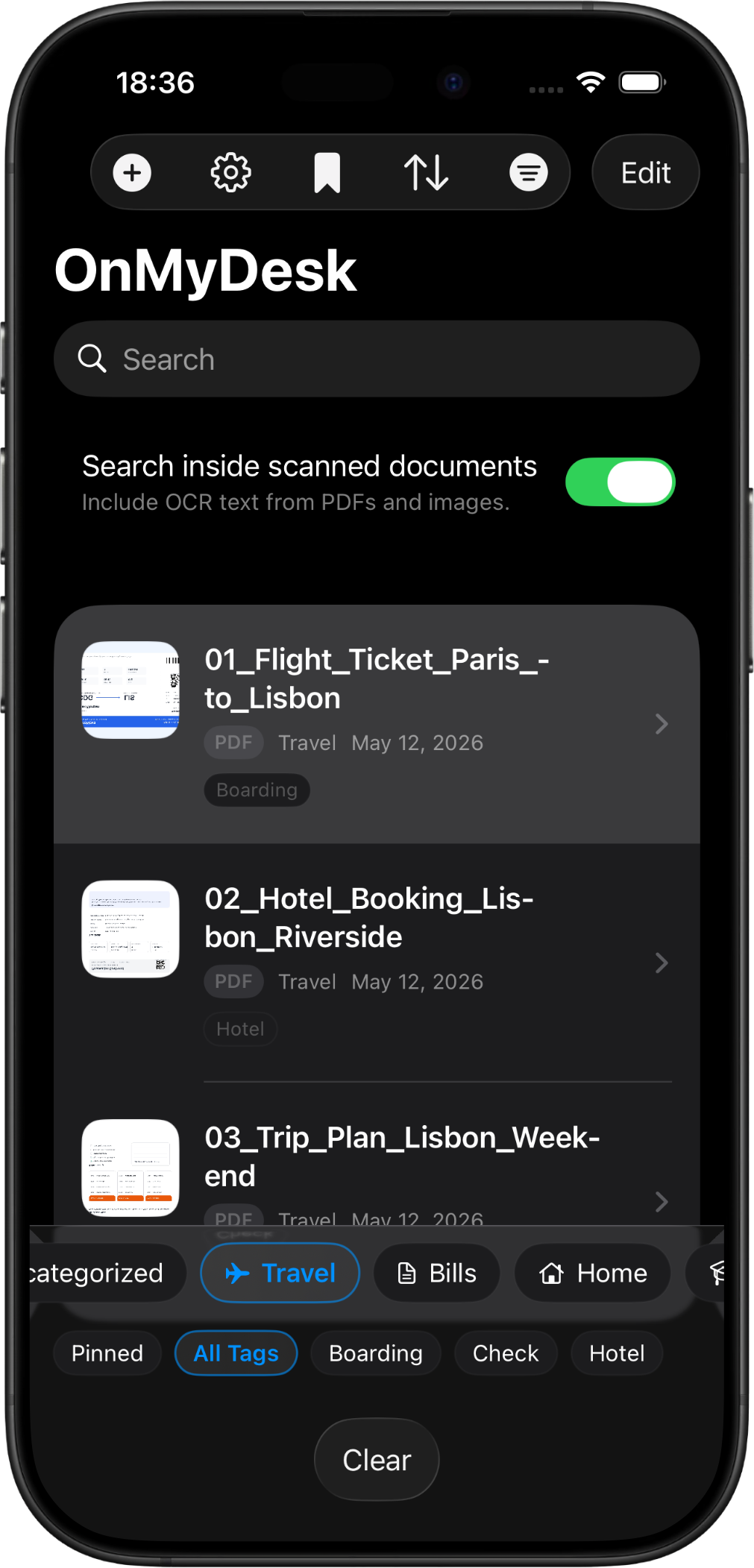
Group items with categories and tags, then narrow the view with pins, filters, sorting, and bulk actions.
OnMyDesk on iPhone showing library filters and organization controls.

PDFs and images

Read and Mark Up

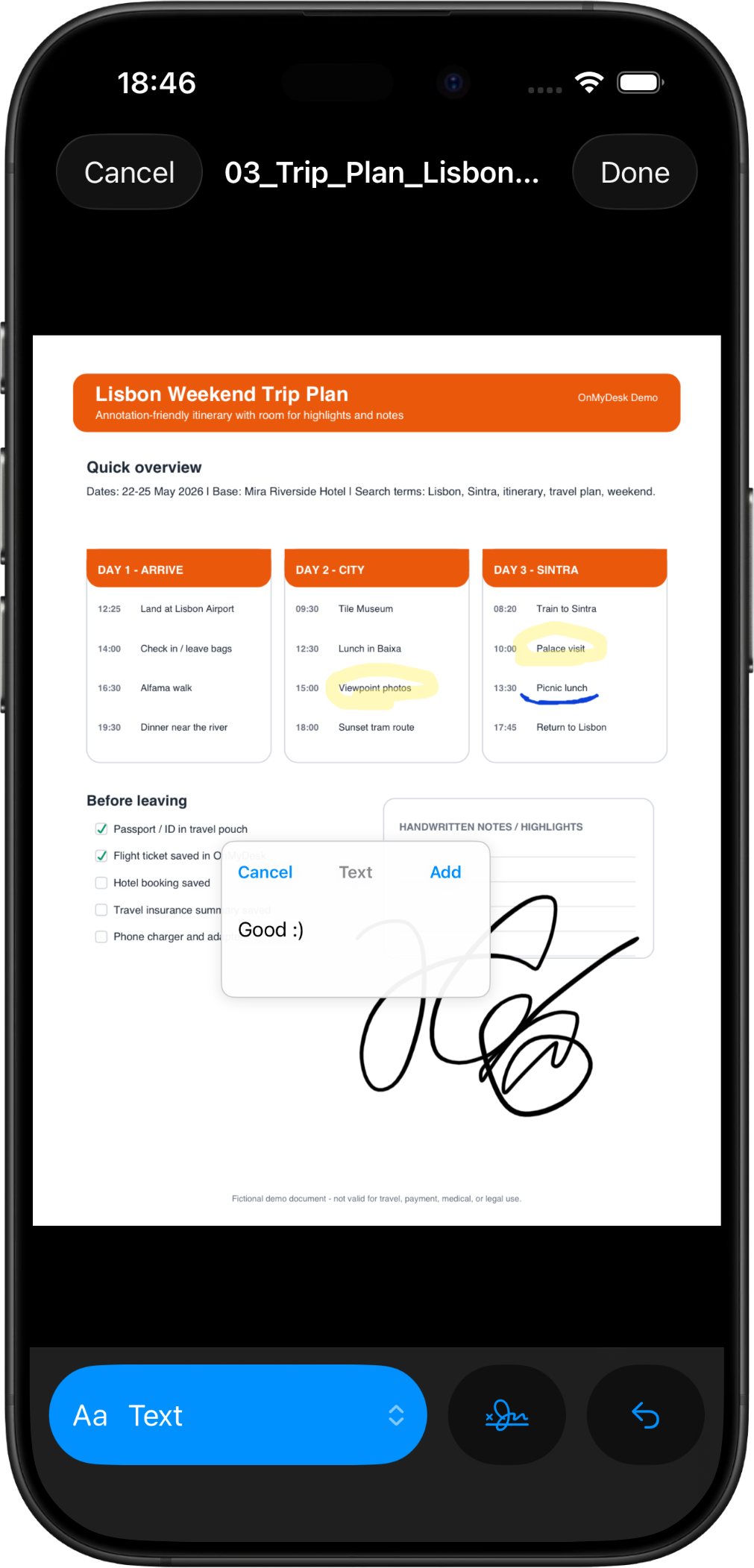
Preview PDFs and images, switch into Reading Mode, annotate, export, or share.
OnMyDesk on iPhone showing a PDF annotation workflow.

Audio and video

Keep Reference Media

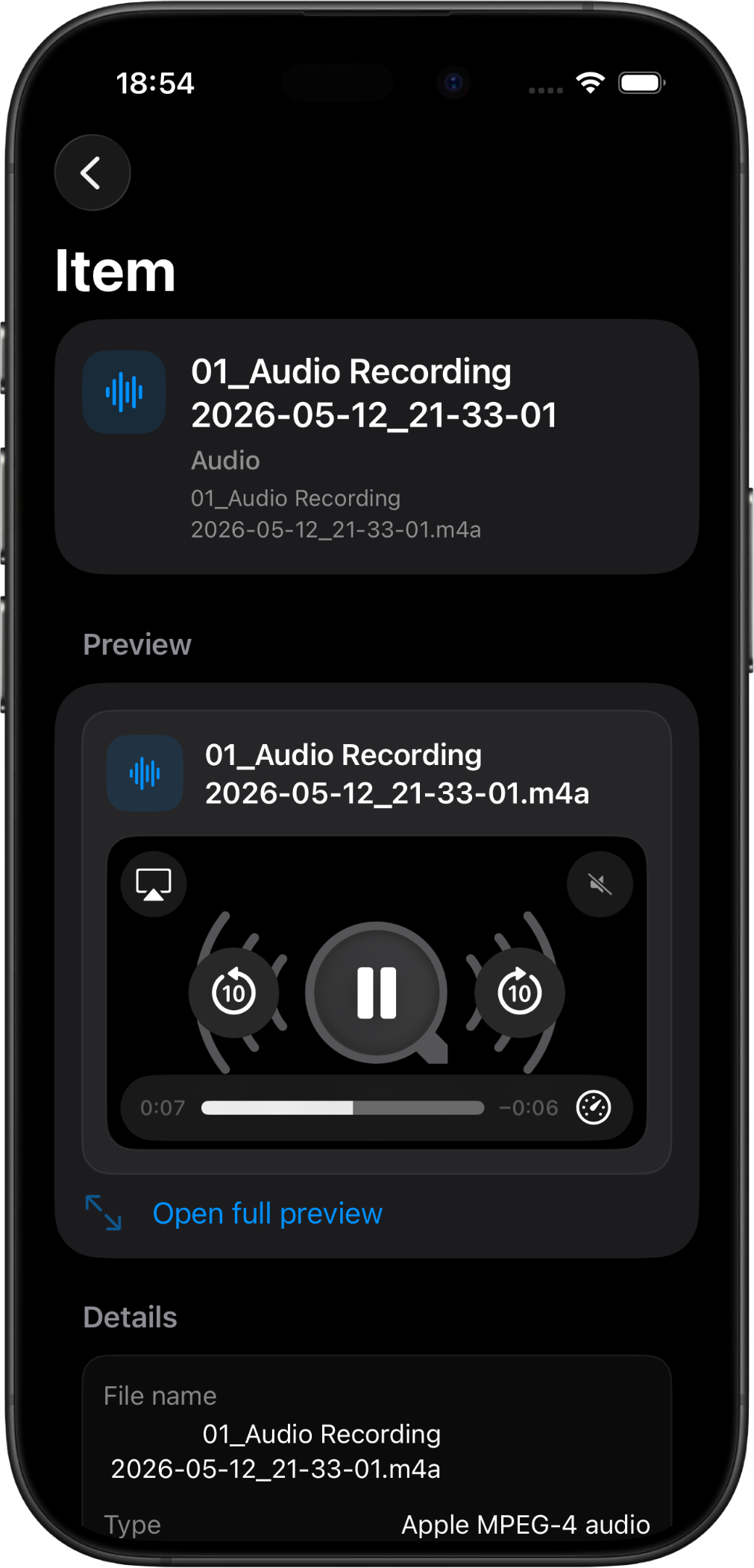
Store links, text notes, transcripts, audio, video, and supporting material beside files.
OnMyDesk on iPhone showing an audio preview in the vault.

Privacy overlay

Keep the Screen Discreet

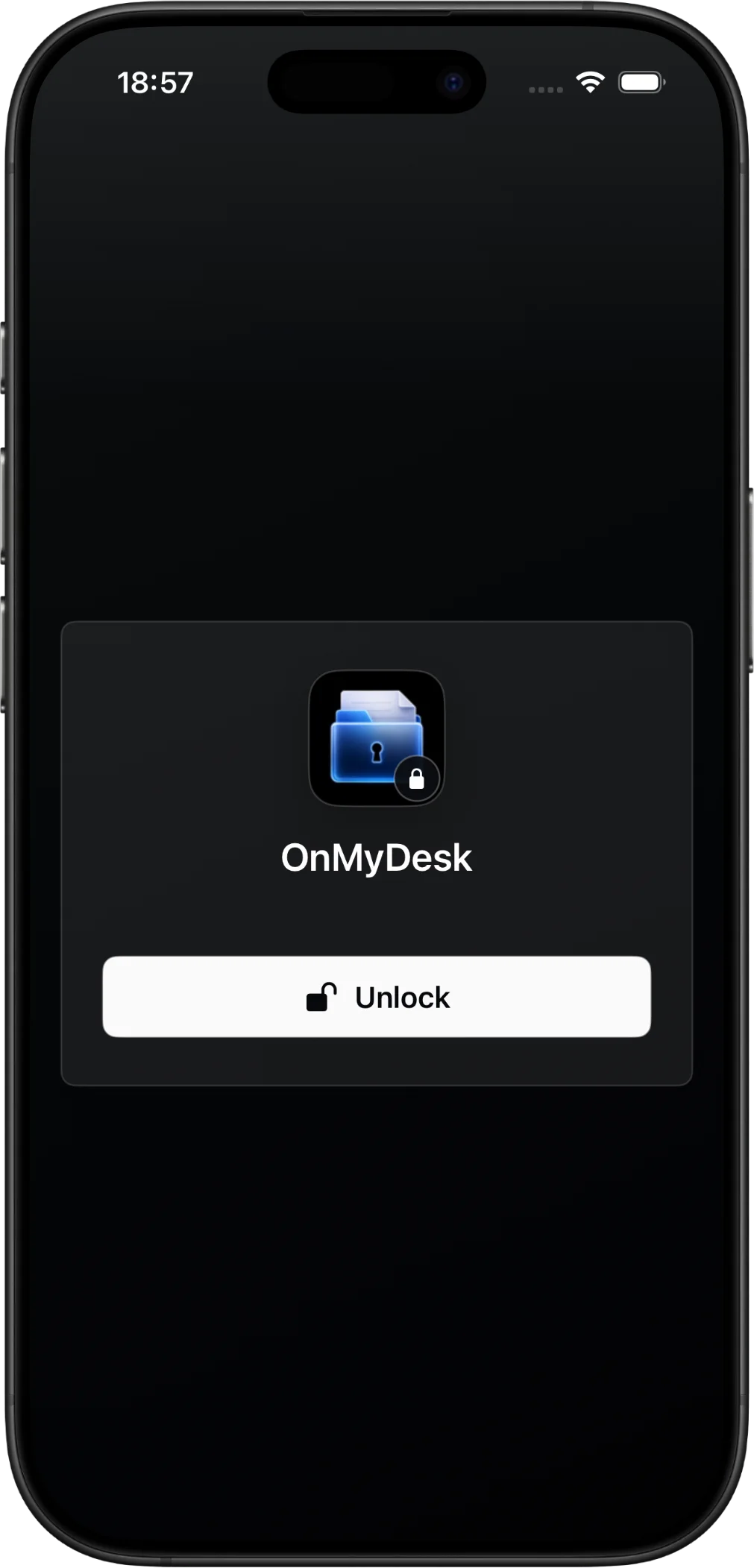
Use App Lock and privacy overlay controls to help keep vault content out of casual view.
OnMyDesk on iPhone showing App Lock privacy protection.

Restore preview

Preview Before Restore

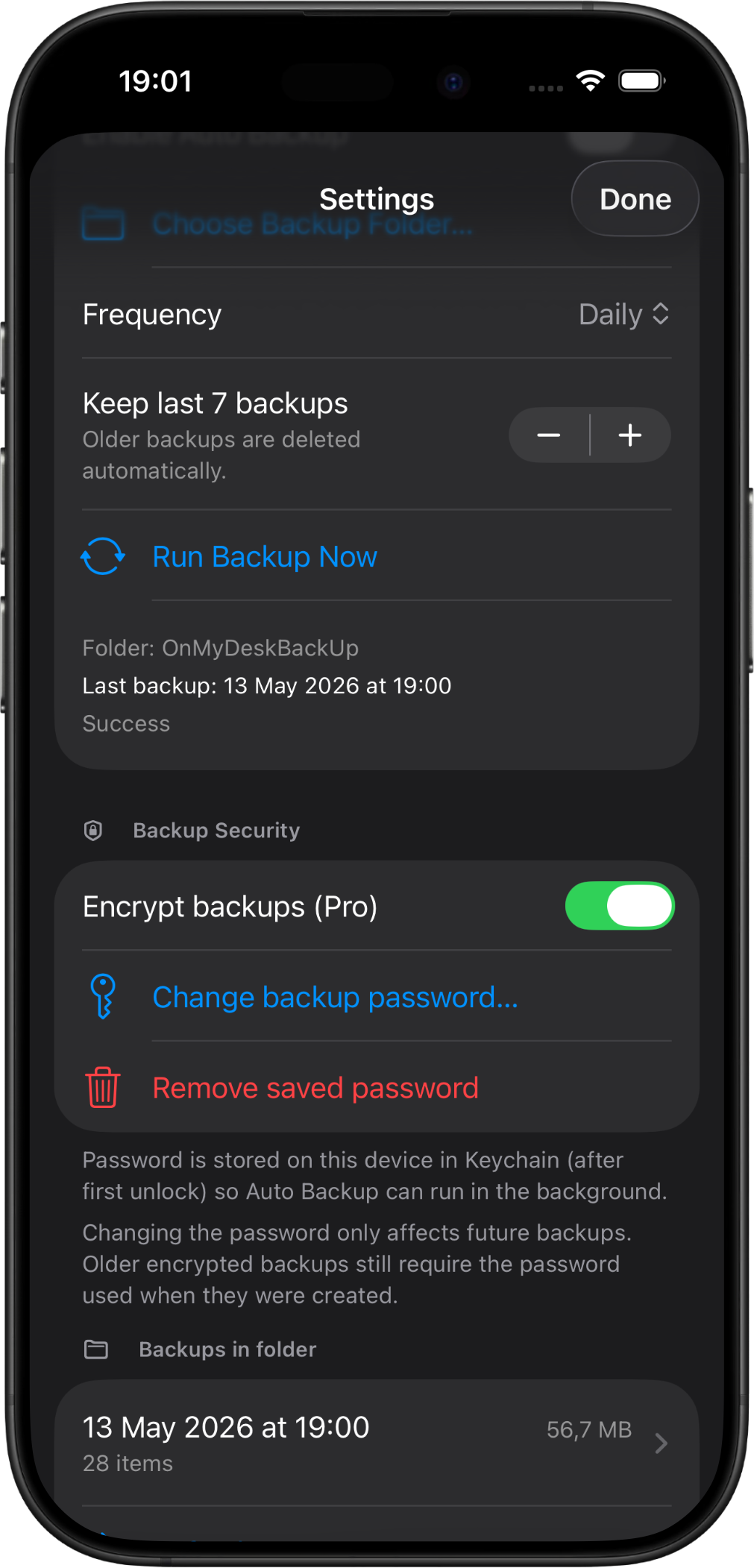
Create ZIP or encrypted backups, inspect restore contents, and recover with less guesswork.
OnMyDesk on iPhone showing backup and restore tools.

iPad

More room to review and organize.

Use the larger canvas to review before saving, move through filters with less friction, and read or annotate without losing context.

Workspace

A Larger Library View

See mixed documents, notes, links, media, categories, and tags with more room to scan the set.
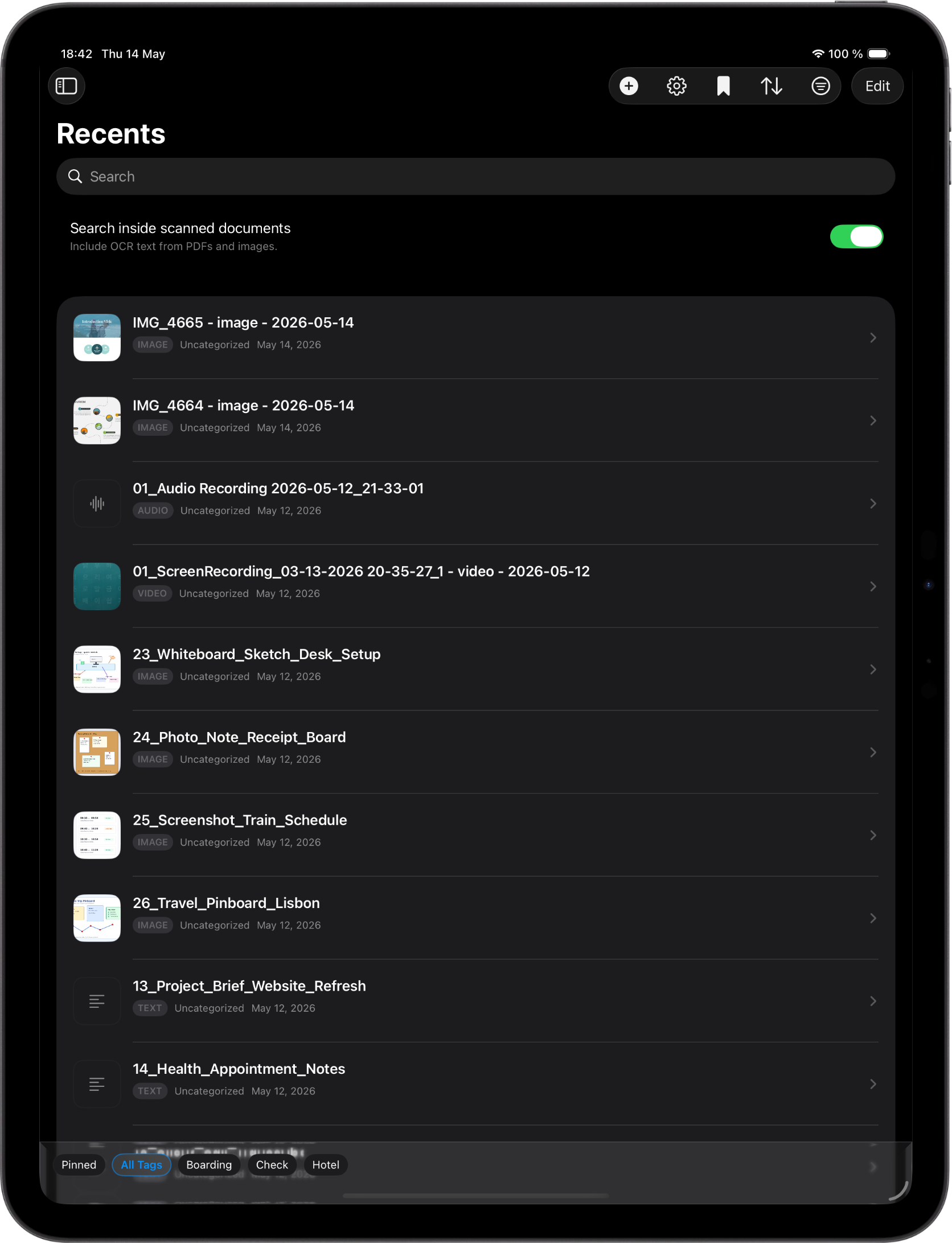
OnMyDesk on iPad showing a spacious vault library with mixed files, categories, and tags.
Capture

Review Before Saving

Use scan, import, audio recording, or save-from-app flows with space for title, category, tags, and pinned state.
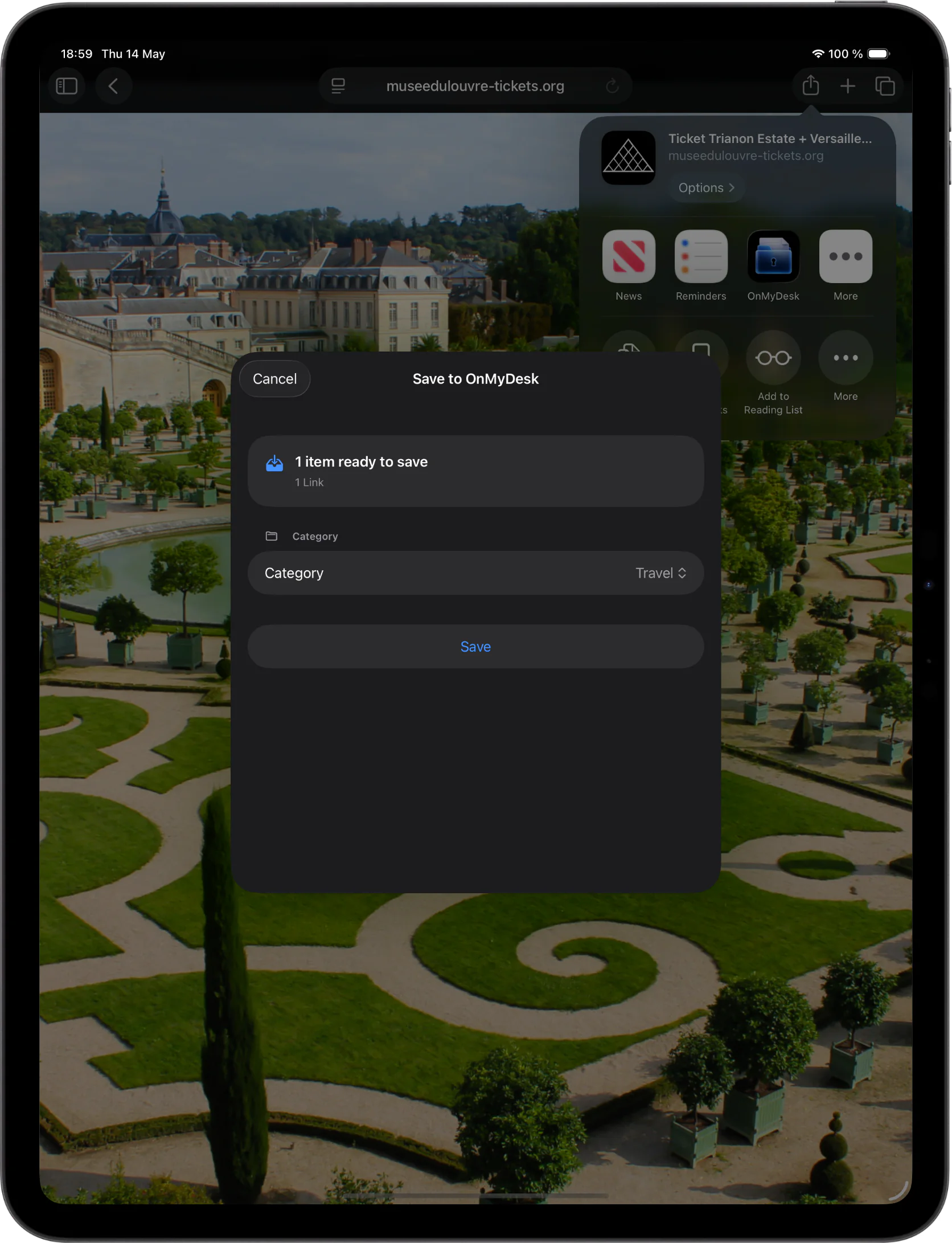
OnMyDesk on iPad showing capture and save workflows.
Find and organize

Control the Collection

Search, filter, sort, pin, tag, and manage items without compressing the workflow into a phone-sized view.
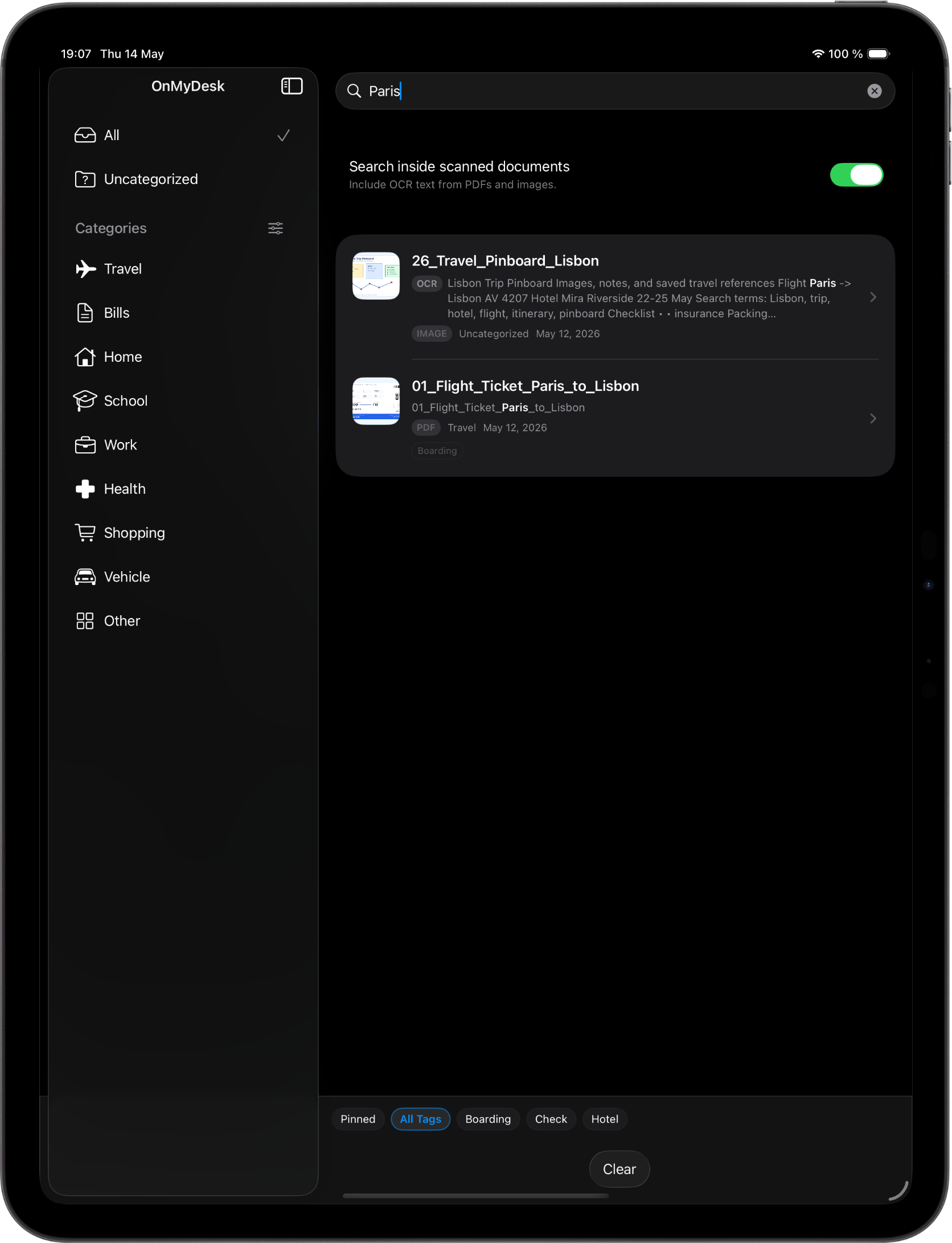
OnMyDesk on iPad showing search, filters, and organization controls.
Reading and markup

Read With Context Nearby

Open PDFs and images, use Reading Mode, mark up, and keep notes visible as you review.
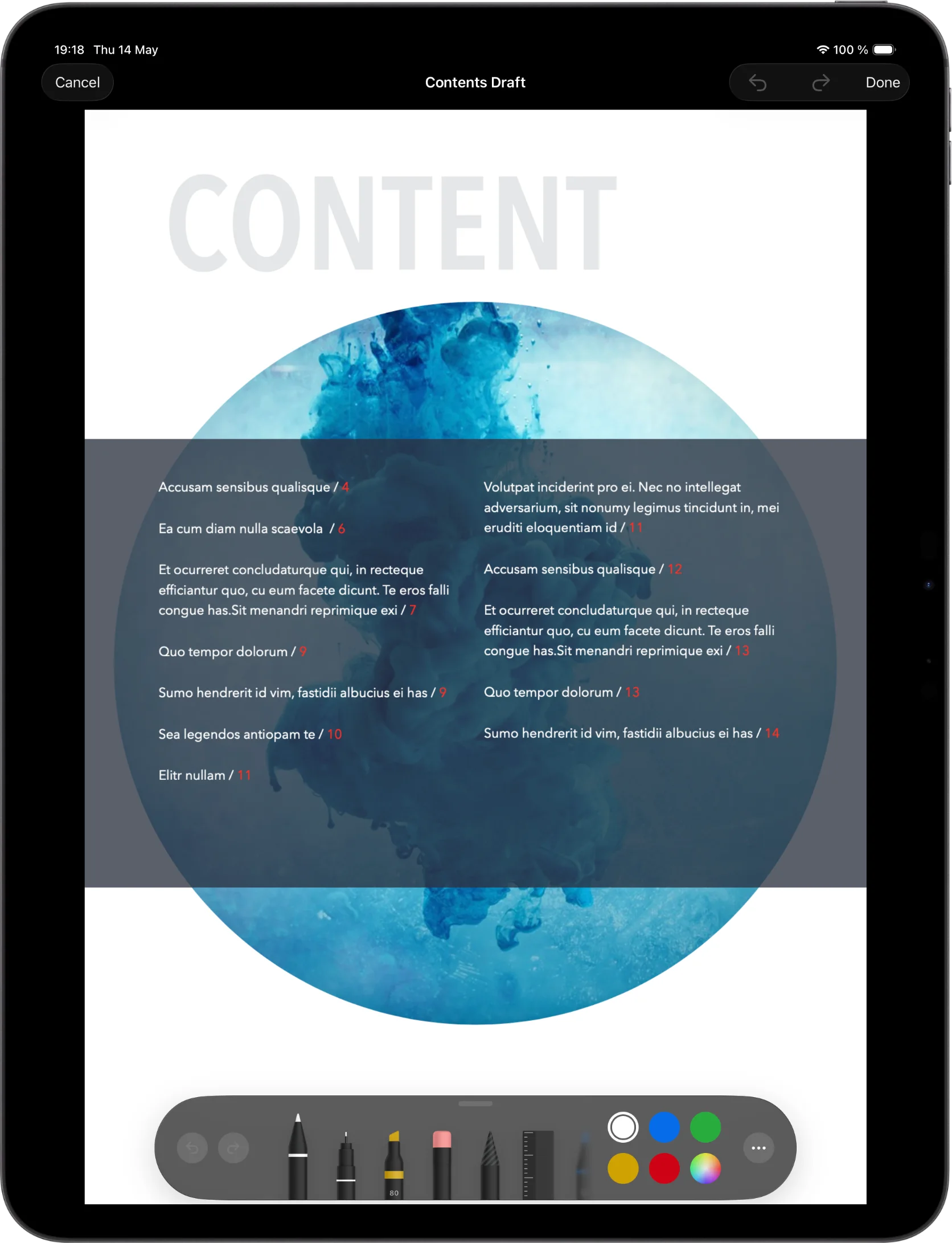
OnMyDesk on iPad showing a PDF or image annotation workflow.

Mac

Built for desktop inspection.

Drag files in, inspect details, preview content, and keep backup tools close in the native Mac app.

Native Mac vault

Your Vault, Built for Mac

Browse documents, notes, links, media, categories, and tags in a native desktop workspace.
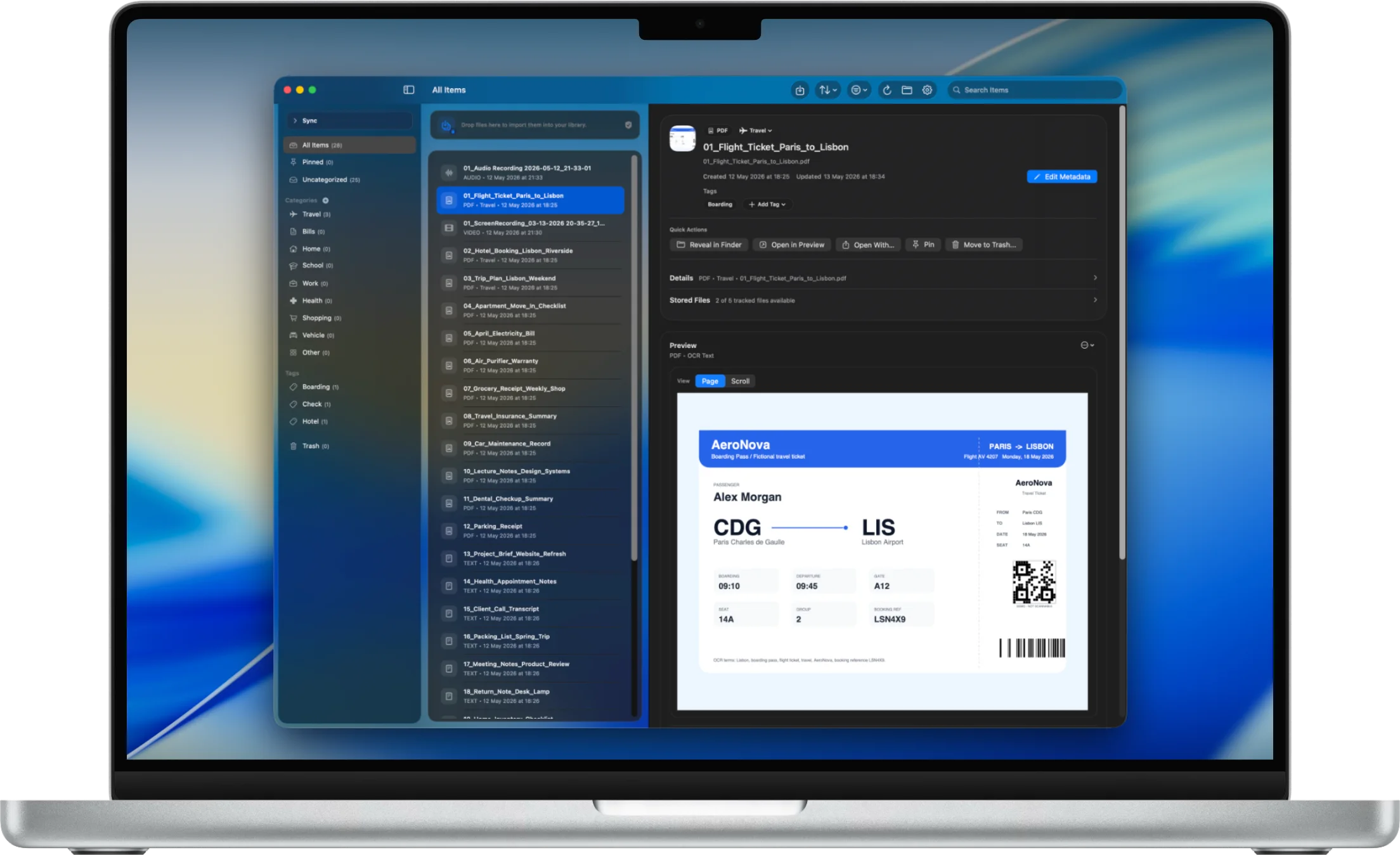
OnMyDesk on Mac showing the vault library in a native desktop workspace.
Connected devices

Desktop and Mobile Stay Together

Keep supported vault changes moving across Mac, iPhone, and iPad, so desktop organization can stay connected to what you capture elsewhere.

OnMyDesk shown across Mac, iPad, and iPhone for a connected vault workflow.
Import

Drag In. File Away.

Drop files into the library or import from the toolbar, then keep them in the private vault.
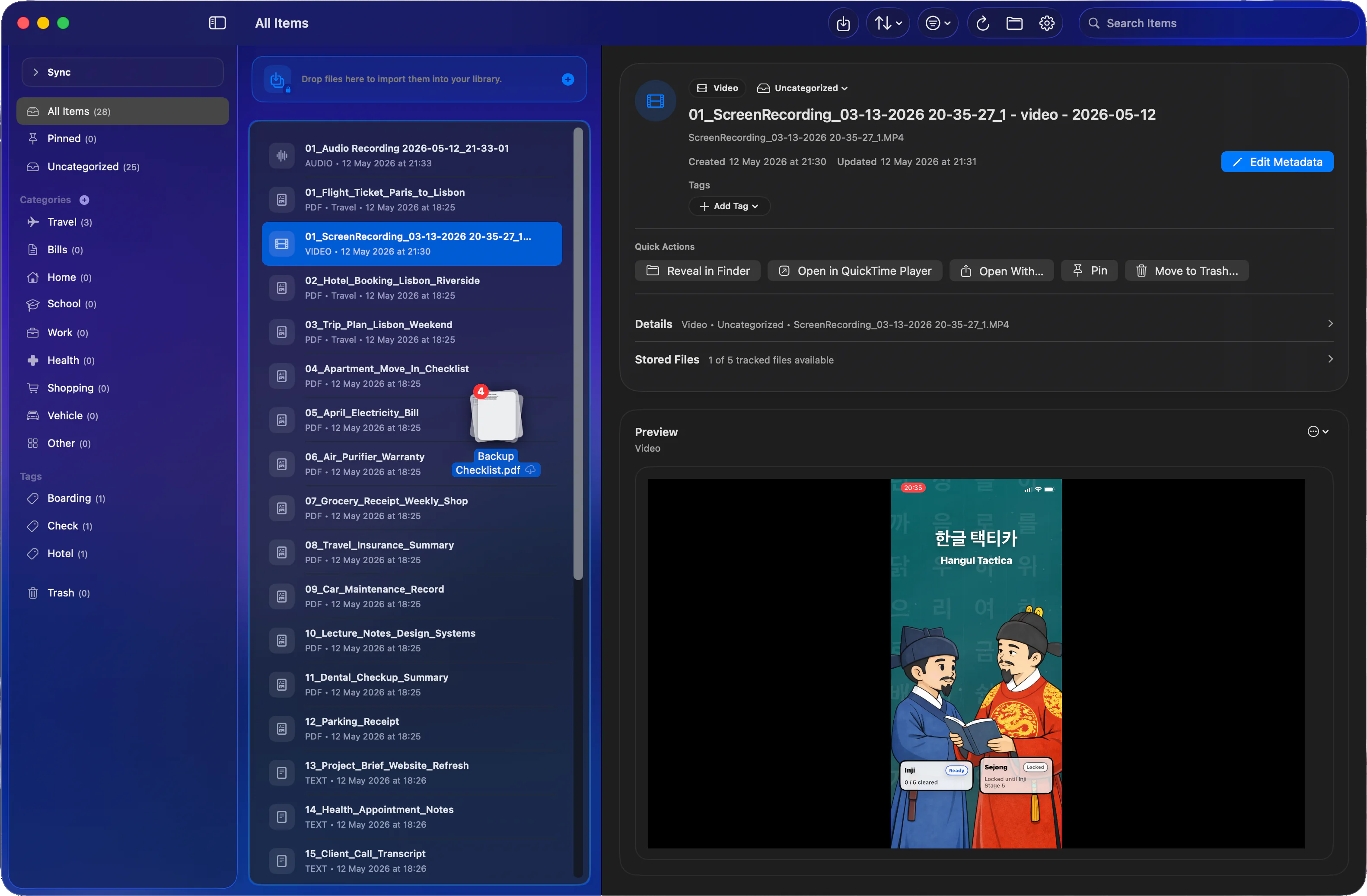
OnMyDesk on Mac showing files being dragged into the vault library.
Search

Find It on Your Mac

Find across titles, notes, tags, text files, transcripts, and OCR text when enabled.
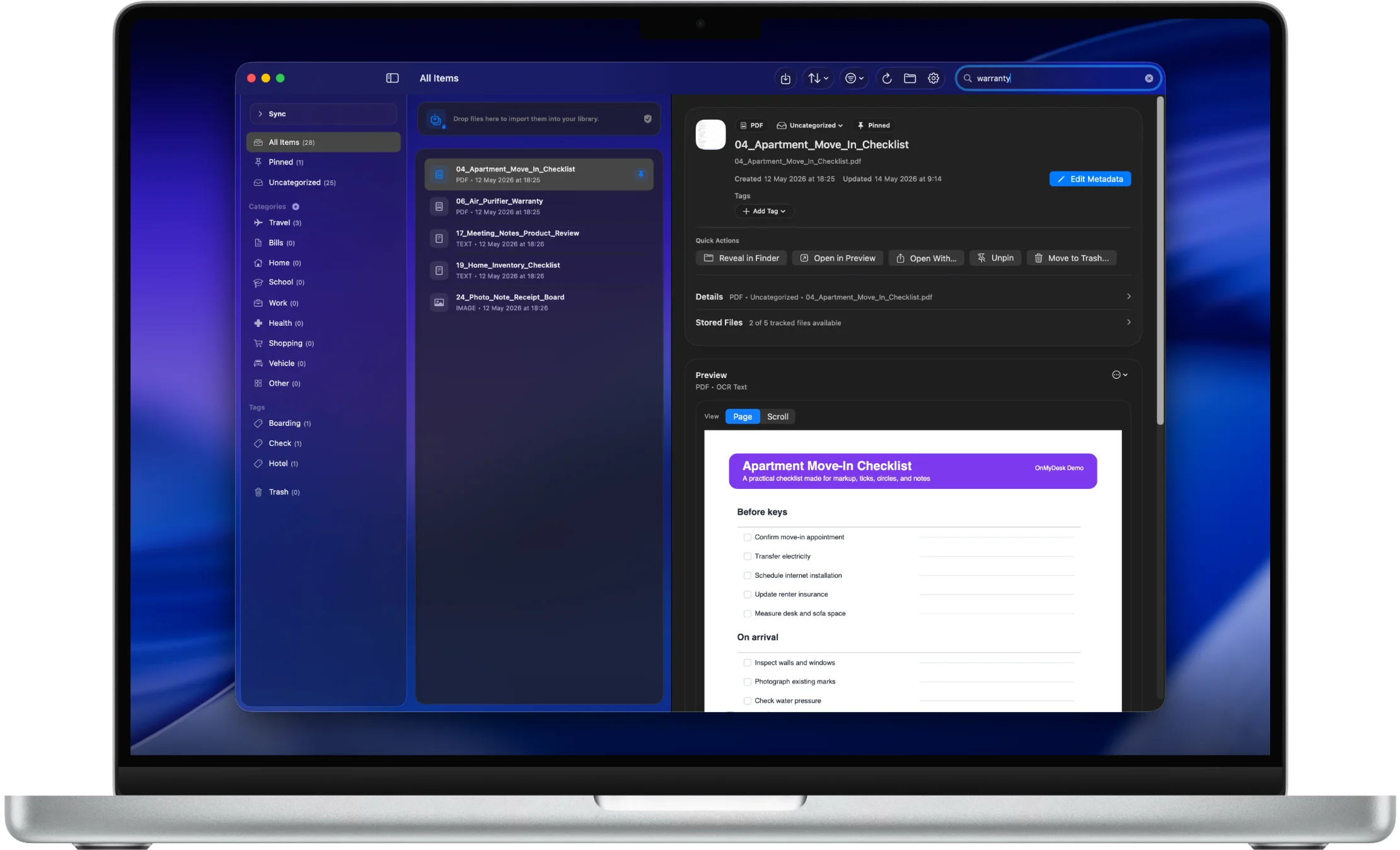
OnMyDesk on Mac showing search results for vault items.
Preview

Preview Without Leaving

Open PDFs, images, audio, video, links, and text inside the Mac app.
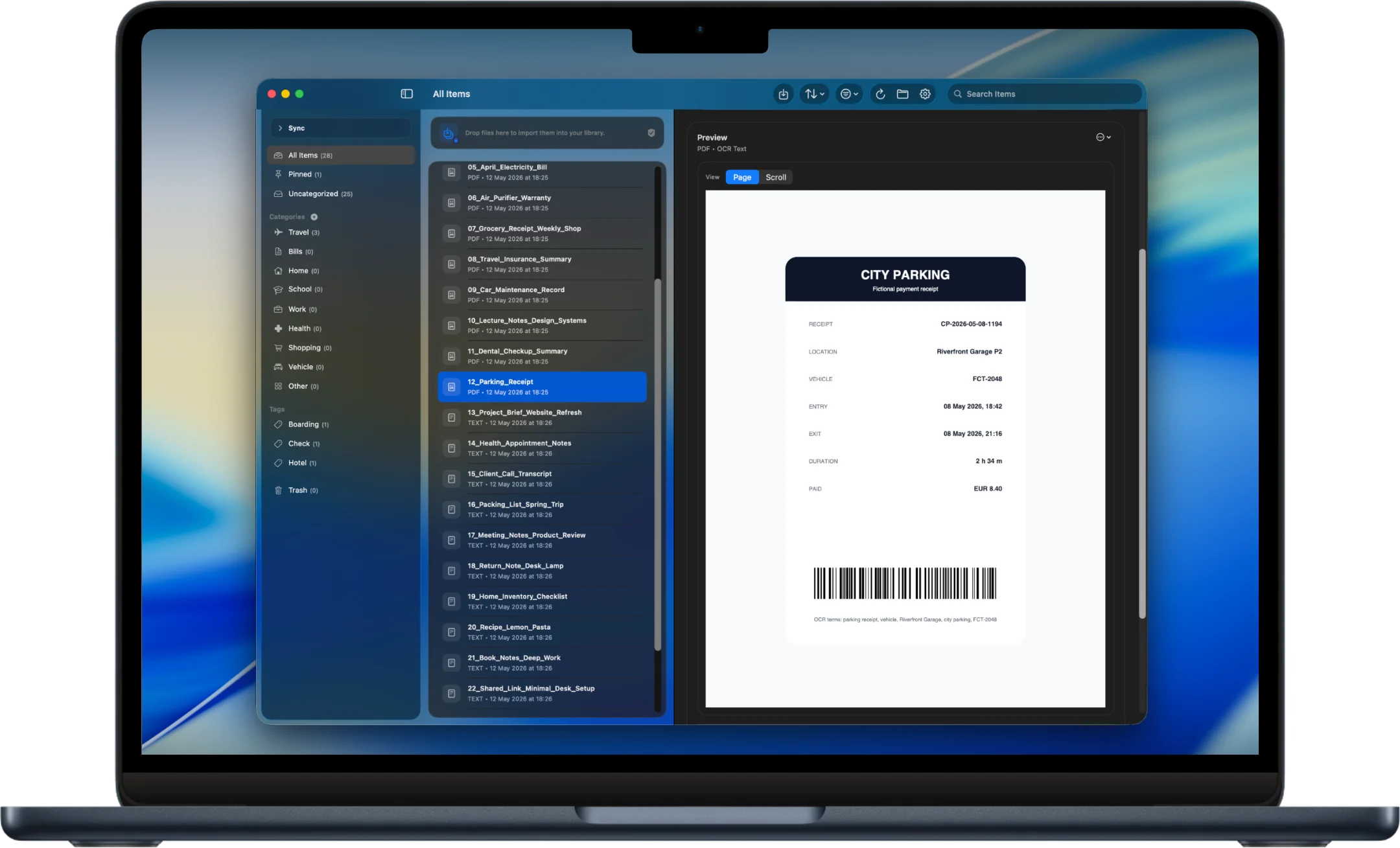
OnMyDesk on Mac showing an in-app document preview.
Metadata

Metadata That Stays Useful

Edit title, category, tags, notes, pinned state, and stored-file details from one view.
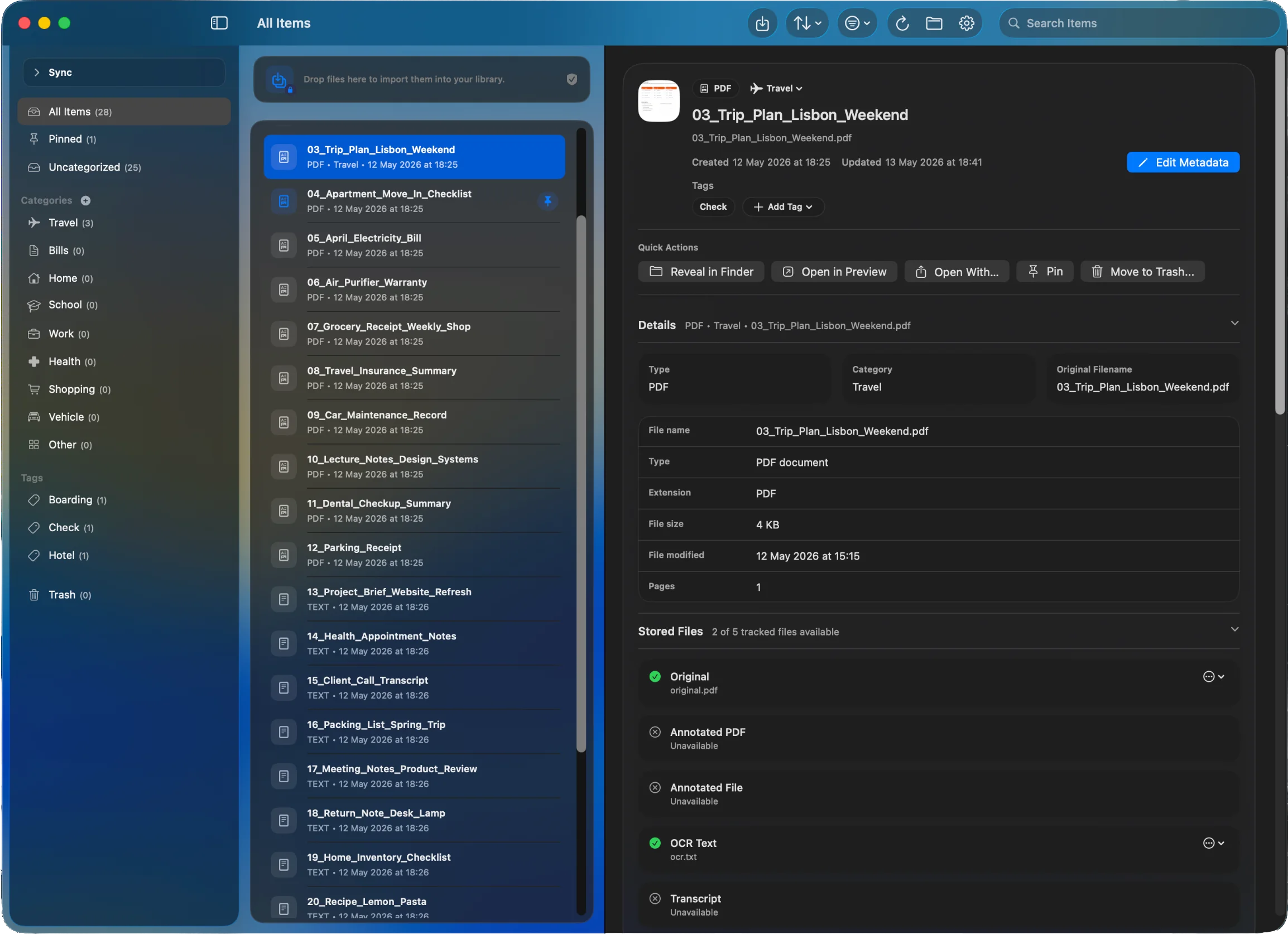
OnMyDesk on Mac showing item metadata and stored-file details.
Backup

Back Up From Your Desktop

Choose a backup folder, create ZIP or encrypted backups, and inspect recent backups.
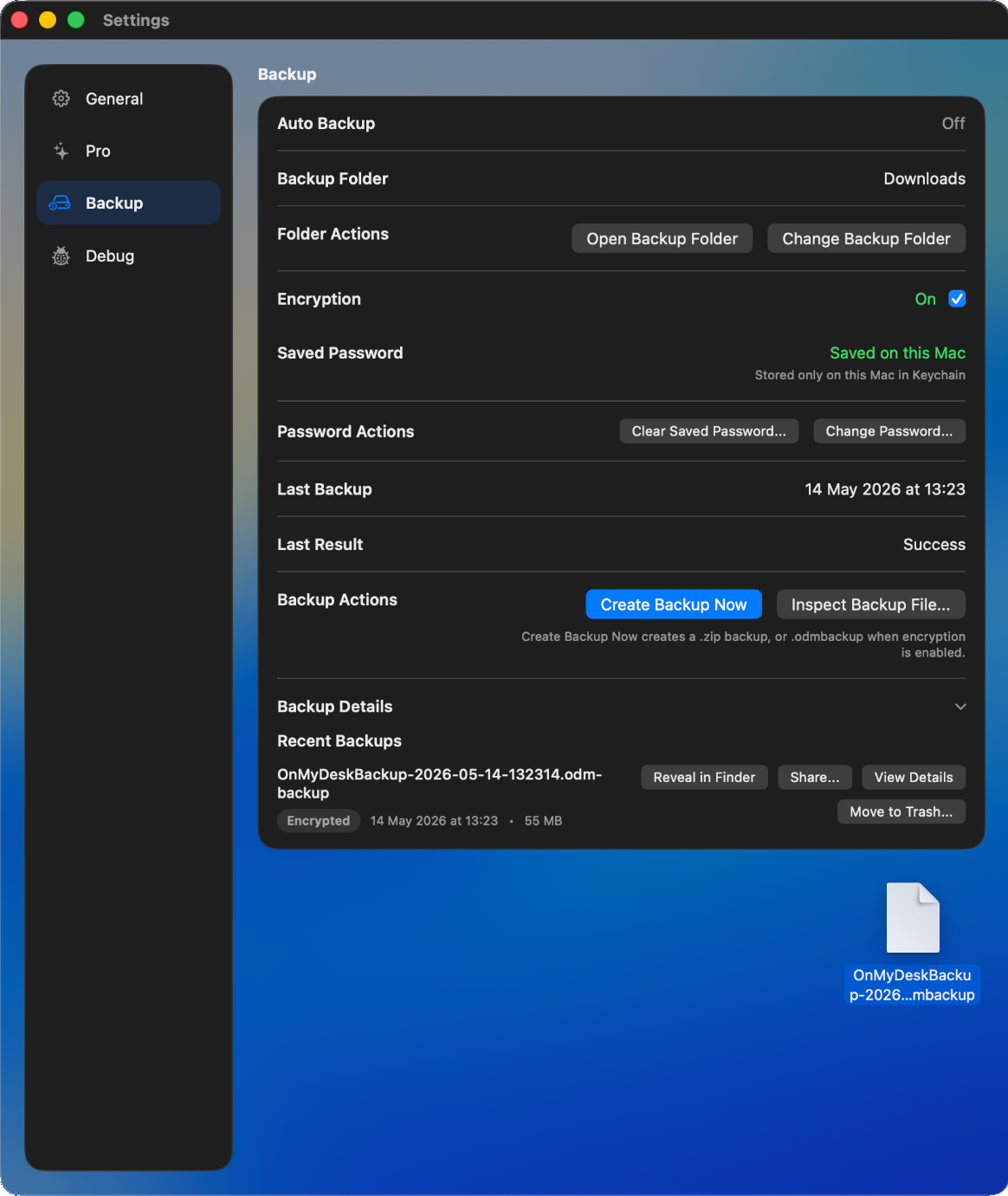
OnMyDesk on Mac showing backup tools and recent backups.

Vault tools

Built for the items you may need again.

The page stays intentionally close to the current product material: store the thing, make it findable, keep its context, and recover it when a device workflow changes.

Capture

Bring daily material into one vault.

Documents, PDFs, notes, links, scans, images, audio, video, transcripts, and reference material can stay together instead of being split across apps.

Find

Search the details that matter.

Search titles, notes, tags, categories, filenames, transcripts, and supported OCR text when OCR indexing is enabled.

Preview

Open more without leaving the flow.

Preview PDFs, images, audio, video, links, and text. PDFs and images support reading, markup, notes, export, and sharing workflows.

Organize

Keep context attached.

Use categories, tags, pins, filters, sorting, bulk actions, metadata, notes, and stored-file details to keep the vault understandable later.

Recover

Back up and restore deliberately.

Create plain ZIP or encrypted .odmbackup backups, inspect recent backups, preview restores, and use merge behavior where supported.

Privacy

Designed around your device workflows.

Local-first storage, App Lock, privacy overlay, on-device OCR/indexing, and no third-party ad tracking keep the vault centered on your devices.

Private by design

No ads. No account.
A local-first vault.

OnMyDesk is designed to store and manage your content locally on your device. Optional system services such as StoreKit, iCloud/Files destinations, Spotlight indexing, camera, microphone, speech recognition, and device authentication remain tied to the Apple system choices you enable.

No adsNo accountFree up to 100 stored itemsLifetime Pro is a one-time unlock across supported devices

Overview

Keep it close. Keep it searchable. Keep it recoverable.

OnMyDesk is made for everyday reference material across Apple devices: a private, searchable place for documents, notes, links, scans, files, media, and backups you may need again later.