Hazybyte Studio
Cloudless Local app icon.

macOS utility

Cloudless Local

Check the cloud signal before you copy.

Cloudless Local checks whether a folder may sync through iCloud Drive, then Pro creates a local-only copy on your Mac while the original folder stays untouched.

Native macOS utilityFree Cloudless CheckOne-time Pro purchaseOriginal untouched

Check One selected folder

Signals iCloud Drive focused

Copy Local-only destination

Account No app account required

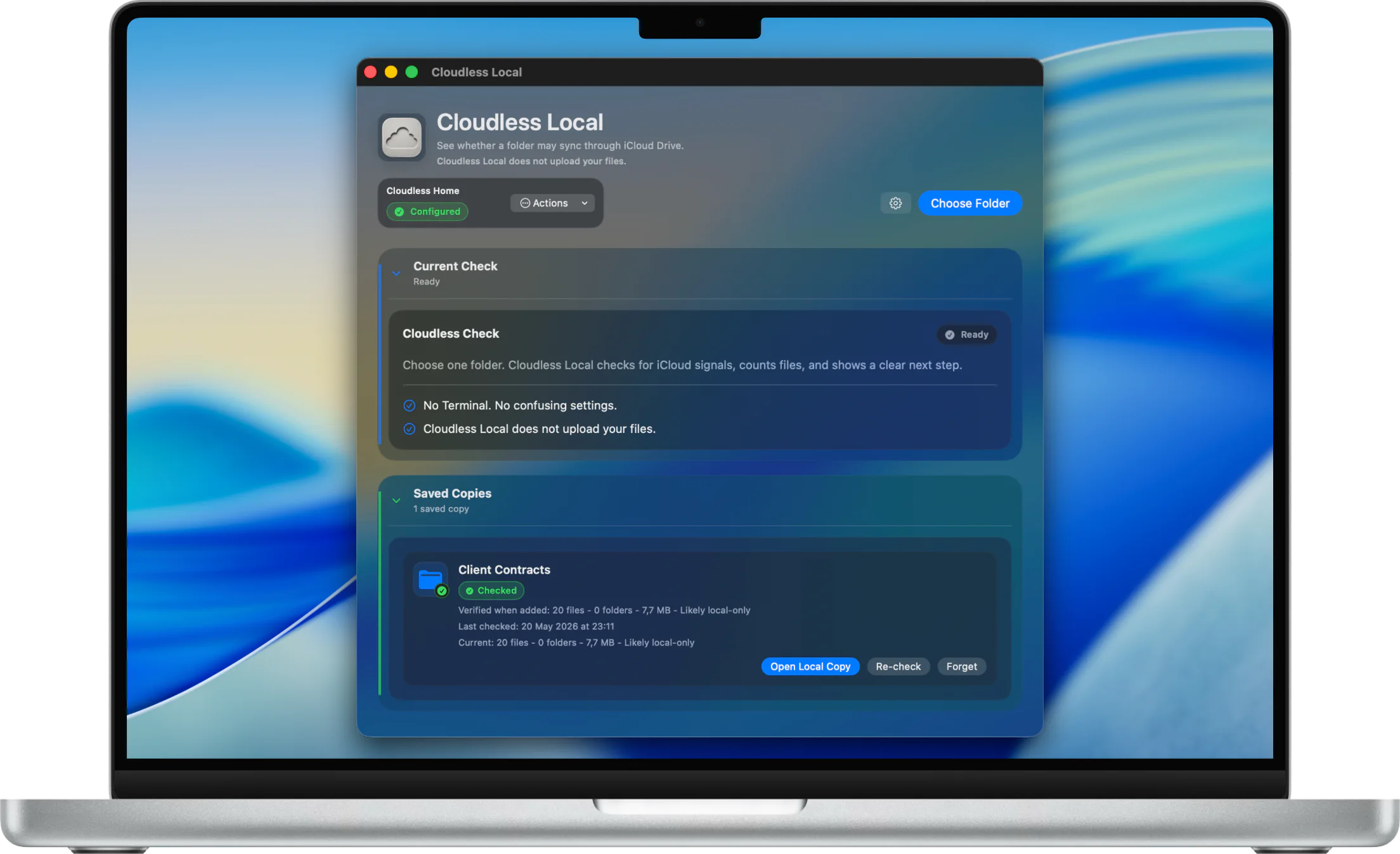
Cloudless Local on a MacBook Pro showing Cloudless Check, Cloudless Home, and saved local copy status.
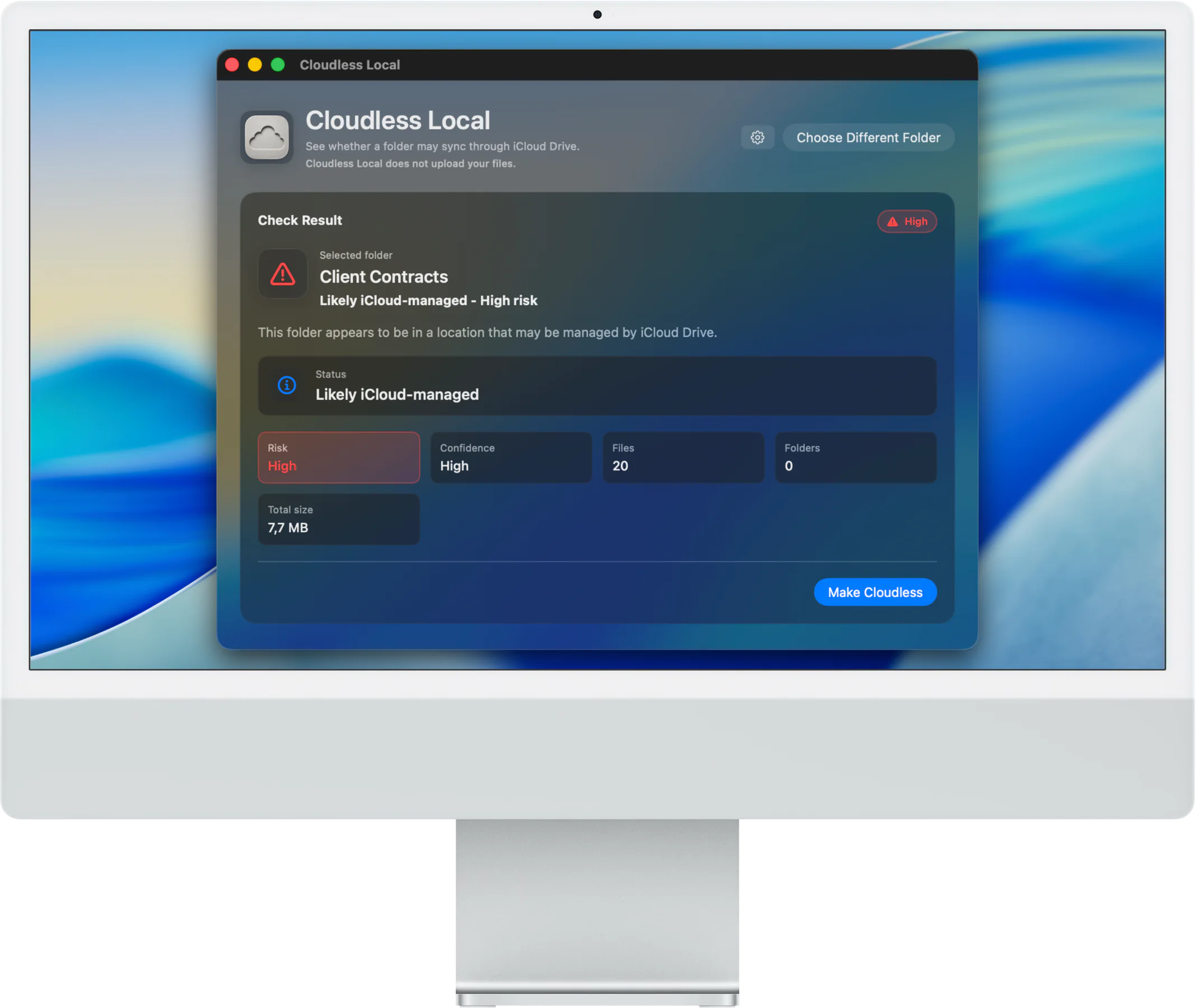
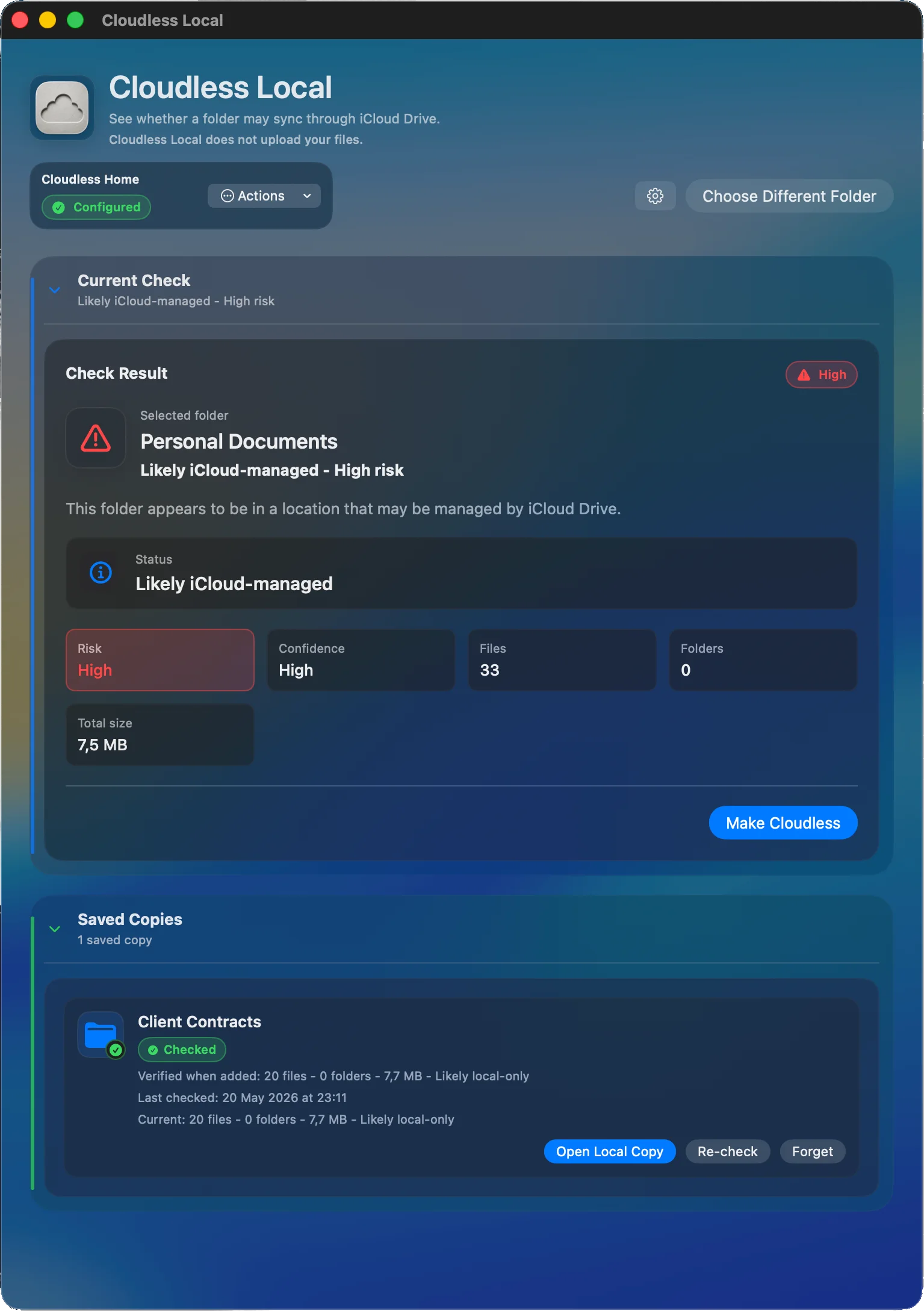
Cloudless Local showing a folder that appears likely iCloud-managed with risk and size details.

Free: Cloudless Check

A clear diagnosis before anything moves.

Start with one selected folder. Cloudless Check scans for iCloud Drive signals, counts files and folders, estimates size, and returns a plain-language result.

Choose one folder

Start with a selected Mac folder, then let Cloudless Check scan for iCloud Drive signals.

Read the result

Review whether the folder appears iCloud-managed, with simple risk, count, and size details.

No Terminal

The free check gives a plain-language next step without Terminal or confusing settings.

Pro: Make Cloudless

A guided local-only copy, checked before and after.

Cloudless Local Pro is a one-time purchase for the Make Cloudless workflow: set Cloudless Home, prepare supported iCloud-backed items, create a local-only copy, and review the result.

Set Cloudless Home

Use a local destination for Pro copies, outside detected iCloud-managed locations.

Check readiness

Before copying, Cloudless Local checks access, disk space, name conflicts, source status, and size.

Review the result

After copying, review file count, folder count, total size, copy errors, and destination status.

Keep the source intact

Make Cloudless creates a local-only copy while the original folder stays untouched.
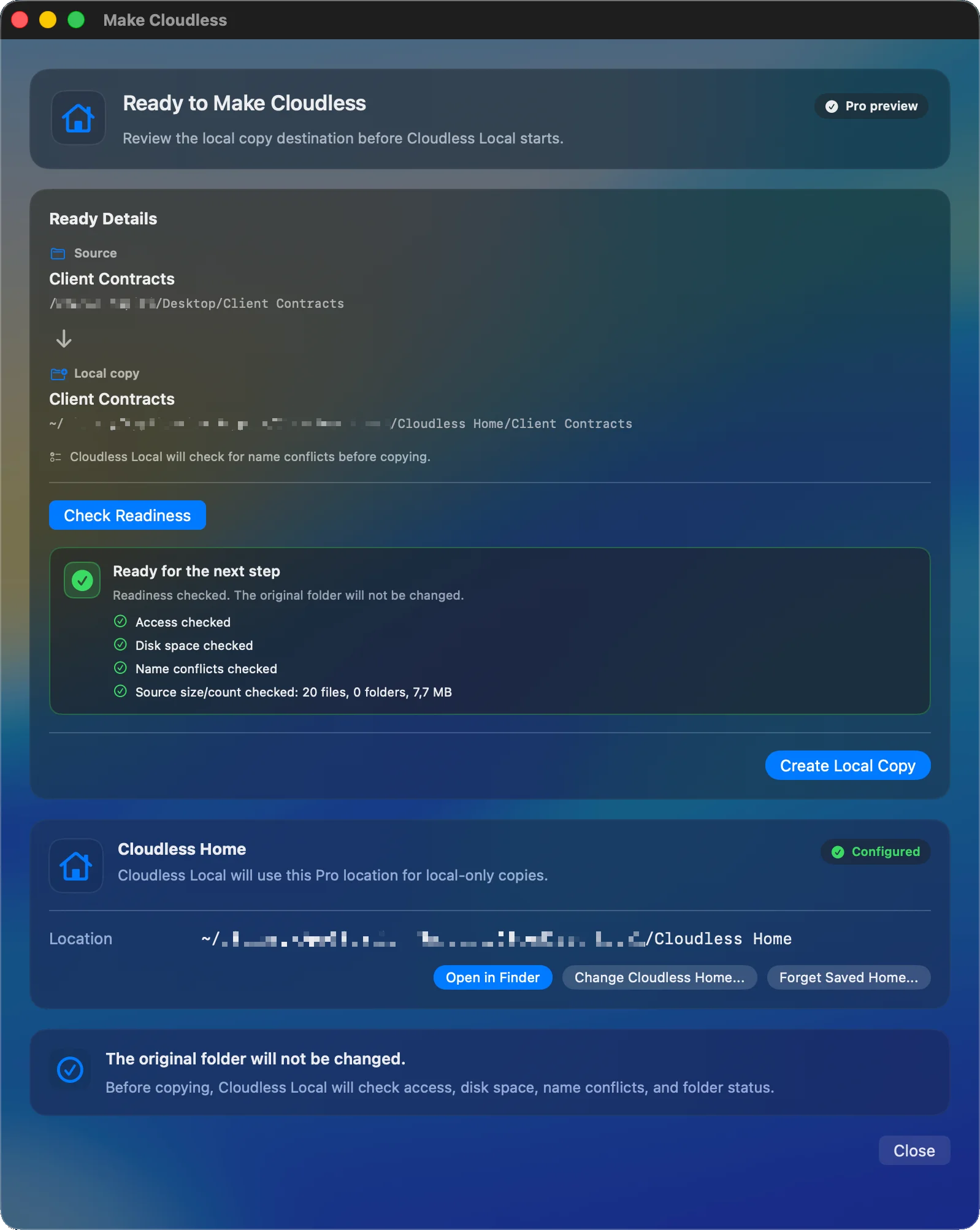
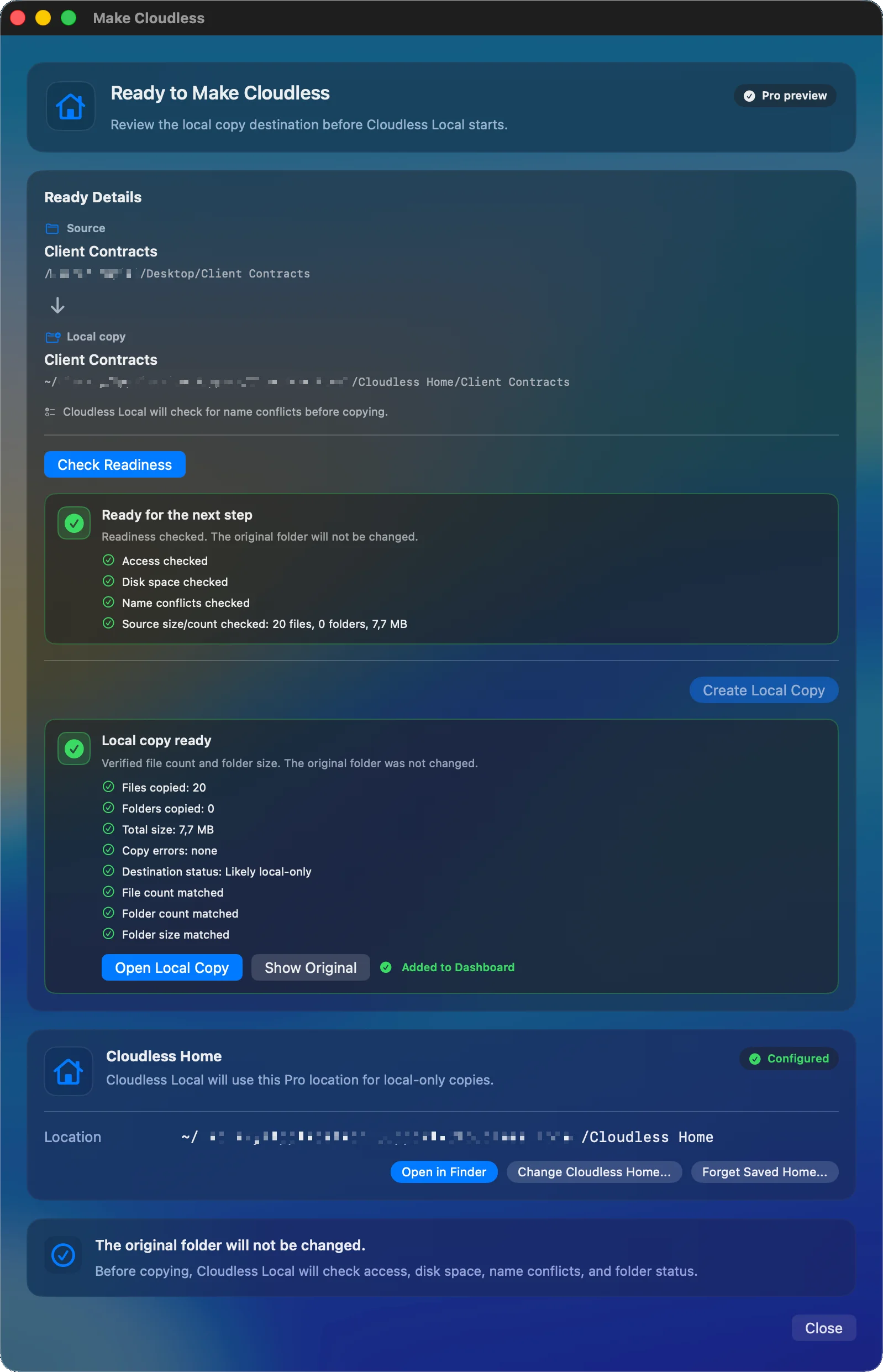
Make Cloudless readiness screen showing source and local copy destinations with access, disk space, name conflict, and source size checks.

Visual tour

The Mac workflow stays visible from check to dashboard.

Cloudless Local keeps each step explicit: understand the detected state, choose a local destination, prepare the copy, verify the result, and manage saved local copies.

Cloudless Check

Understand the folder before you act.

Cloudless Local shows whether the selected folder appears likely iCloud-managed, then gives risk, confidence, file count, folder count, and size.
Cloudless Local on Mac showing a high risk iCloud-managed folder result with file count, folder count, and total size.

Cloudless Home

Choose where Pro copies live.

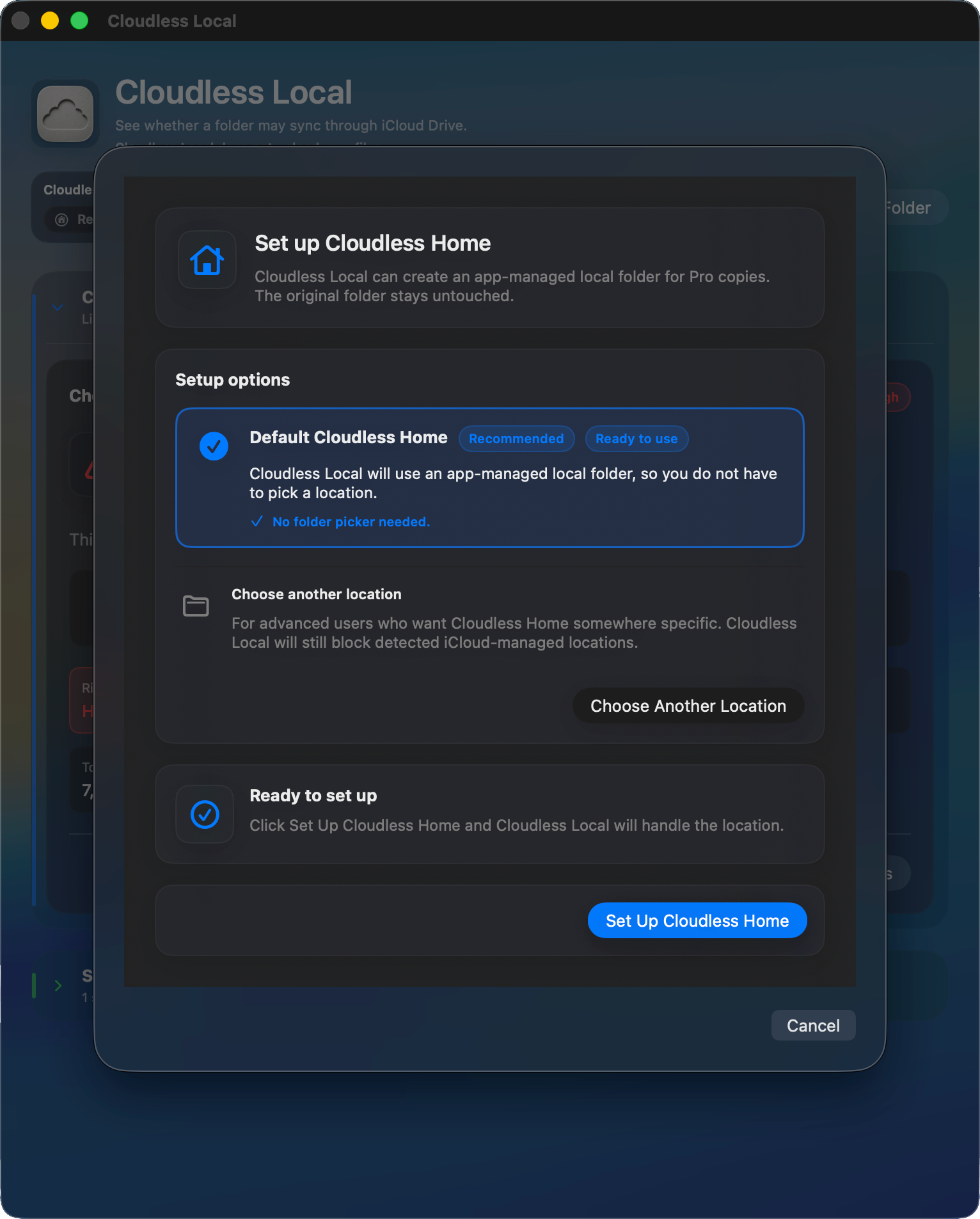
Cloudless Home is the local destination for Make Cloudless, with setup kept inside the app rather than hidden in system settings.
Cloudless Local showing Cloudless Home setup options for a local Pro copy destination.

Readiness

Prepare before the copy starts.

Cloudless Local checks source access, destination status, disk space, name conflicts, and source size before creating the local copy.
Make Cloudless readiness screen showing source and local copy destinations with access, disk space, name conflict, and source size checks.

Verification

Copy with a checked result.

After the copy, the result view reports file count, folder count, size, copy errors, and whether the destination appears likely local-only.
Make Cloudless result screen showing a local copy ready with file count, folder count, total size, copy errors, and destination status.

Dashboard

Manage saved local copies.

The dashboard keeps saved copies visible for opening, re-checking, and record management without deleting the original folder.
Cloudless Local dashboard showing current check details and saved local copy records.

Local-first boundaries

Clear scope is part of the product.

Cloudless Local is intentionally narrow: it checks iCloud Drive signals and helps create careful local copies. It does not upload files, does not encrypt files, and is not a backup tool.

Cloudless Local does not upload your files.

No app account required.

Cloudless Local does not encrypt files.

Cloudless Local is not a backup tool.

Original folders stay untouched by Make Cloudless.

The app focuses on iCloud Drive signals and careful local copy workflows.

Support and policies

Start with a folder check, then decide the next step.

Use Cloudless Check for the free diagnosis. Use Make Cloudless Pro when you want a guided local-only copy with Cloudless Home, readiness checks, verification, and dashboard management.