Add versions to the Source Shelf
Bring A, B, C, D, or other plain-text versions into one session.
macOS app
Compare versions. Cherry-pick the best parts. Compose the final text.
A Mac-first workspace for comparing multiple text versions, keeping sources nearby, writing in the pinned Compose Draft, and saving the session for later.
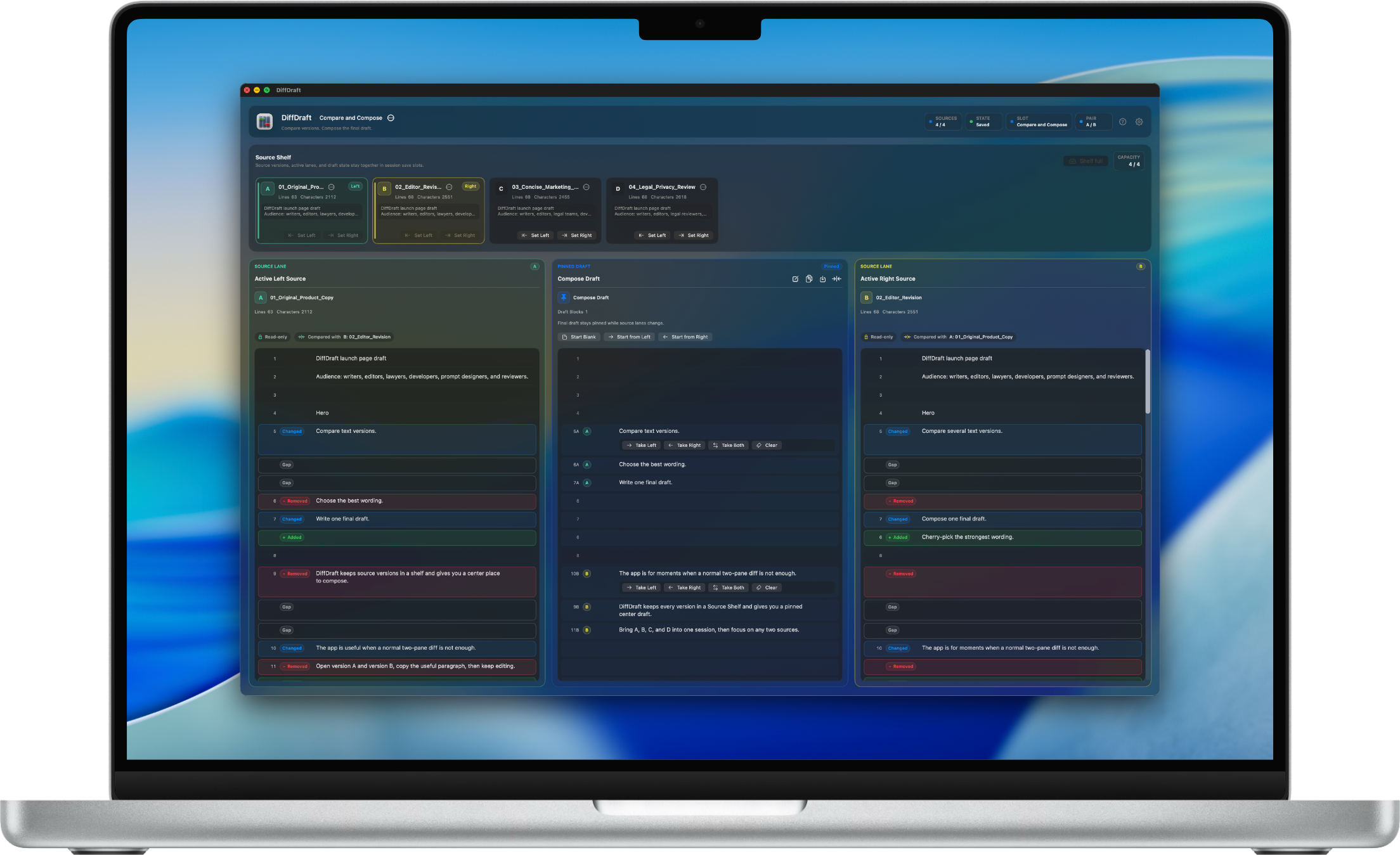
Sources A/B/C/D in Source Shelf
Focus Left | Draft | Right
Draft Pinned and editable
Export Clean plain text
How DiffDraft works
DiffDraft is designed for reviews where comparing is only the beginning. The center Compose Draft is the place where choices become the final version.
Bring A, B, C, D, or other plain-text versions into one session.
Focus on two versions at a time while the others remain nearby.
Write the final text in the Compose Draft instead of editing source files.
Take useful hunks into the draft, then keep rewriting directly.
Manual draft rows and source-lane gaps stay aligned through long reviews.
Change the active pair while the Compose Draft stays intact.
Use save slots and checkpoints to pause and continue later.
Copy or save the Compose Draft as plain text, without UI markers or provenance badges.
Source Shelf
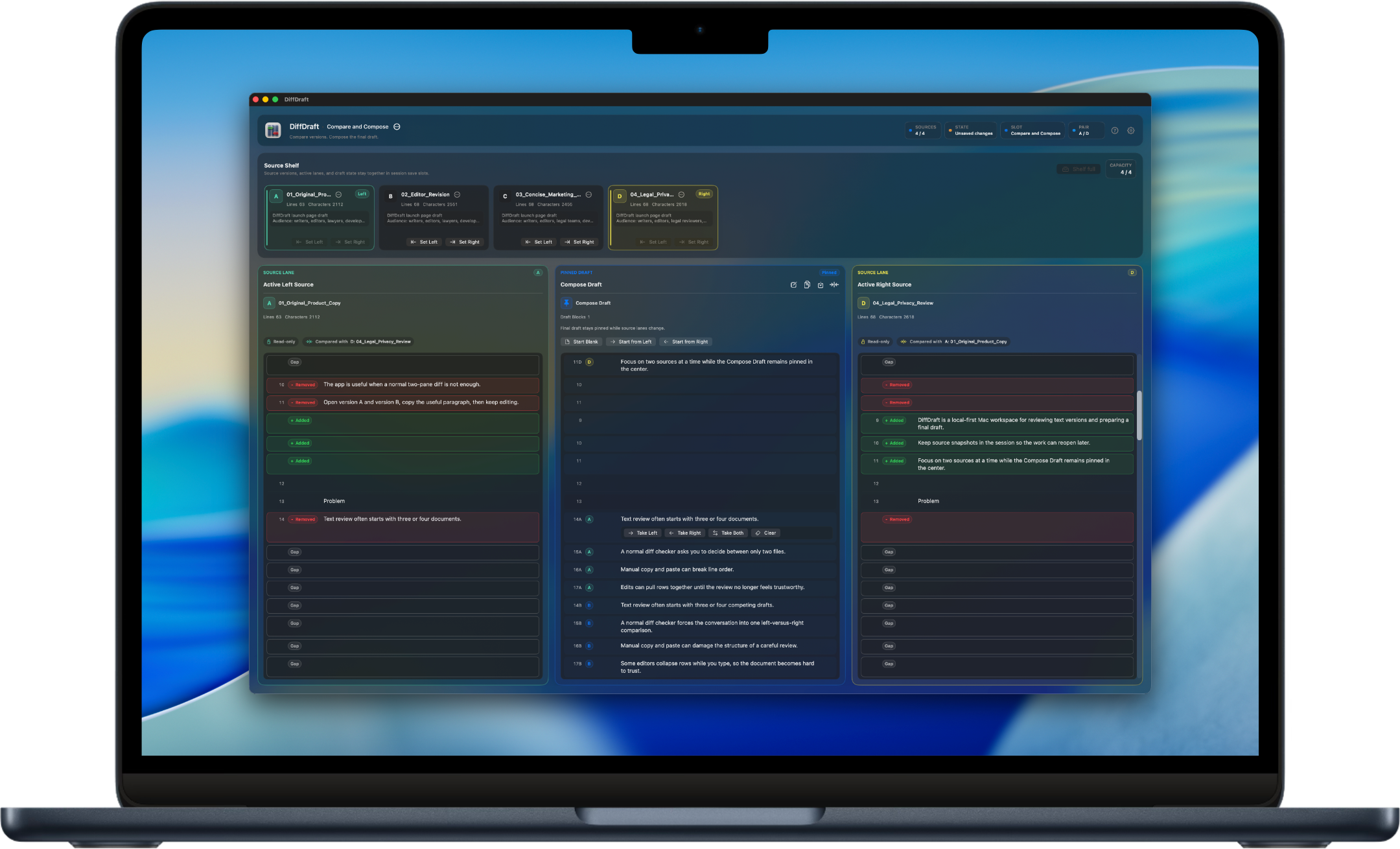
Add multiple plain-text versions to the Source Shelf instead of juggling windows. Choose the active left and right sources, then keep the rest close for the next pass.
Keep several versions close without turning the workspace into a cluttered N-way merge screen.
Focus Canvas shows Active Left Source | Compose Draft | Active Right Source.
Change the active source pair without clearing the Compose Draft.
Focus Canvas
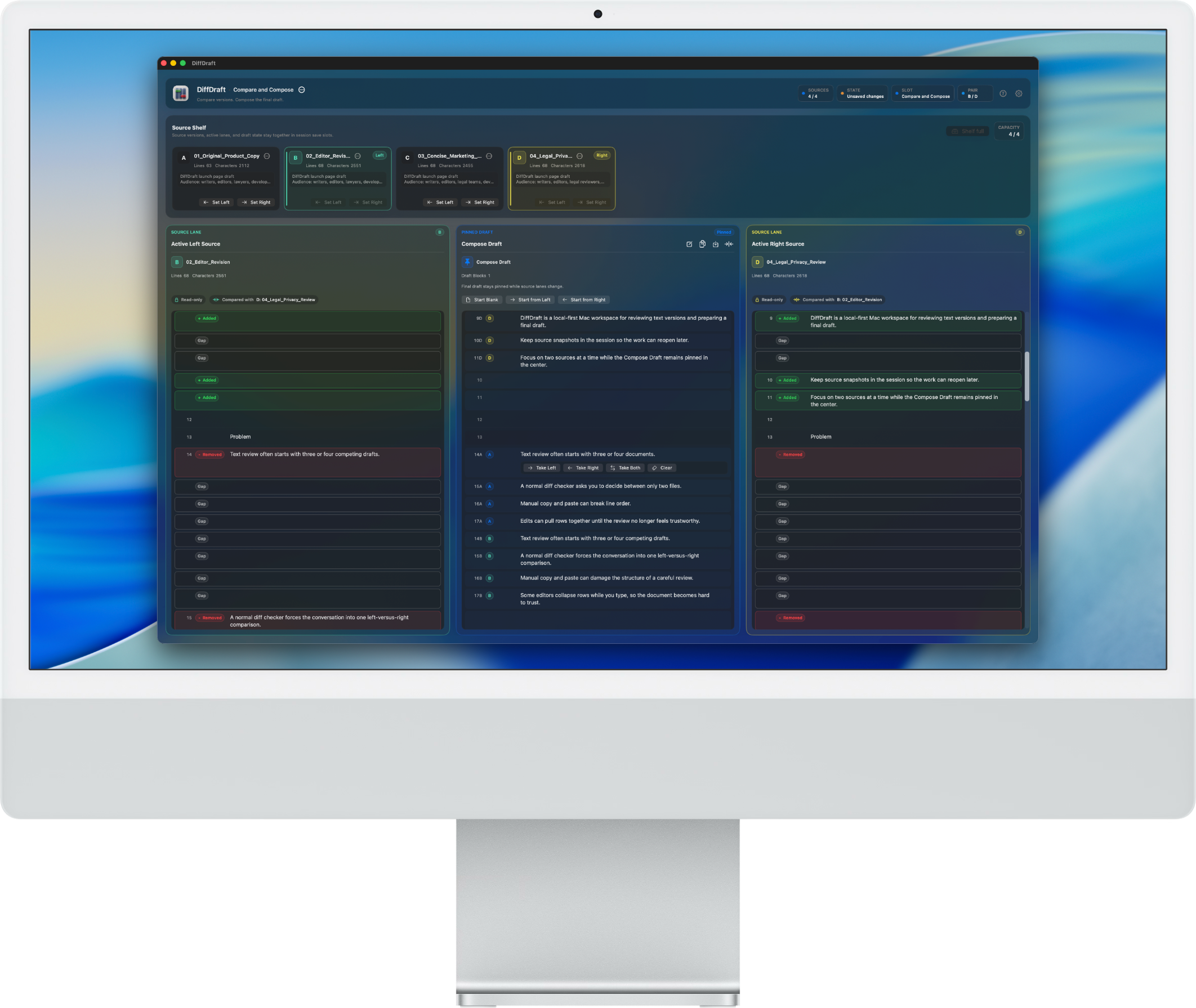
The working view narrows to Active Left Source | Compose Draft | Active Right Source. Source lanes stay readable, and the center draft remains the text you are deliberately building.
Source rows, draft rows, manual rows, and intentional gaps stay visually aligned while you edit.
Rows you add manually remain draft-only instead of being forced into a source lane.
Source lanes show missing-source context instead of pretending every draft row came from a source.
Workflow details
Each part of DiffDraft protects a different piece of the composition workflow: choosing source text, preserving context, checking provenance, saving progress, and leaving with clean text.
Cherry-pick and edit
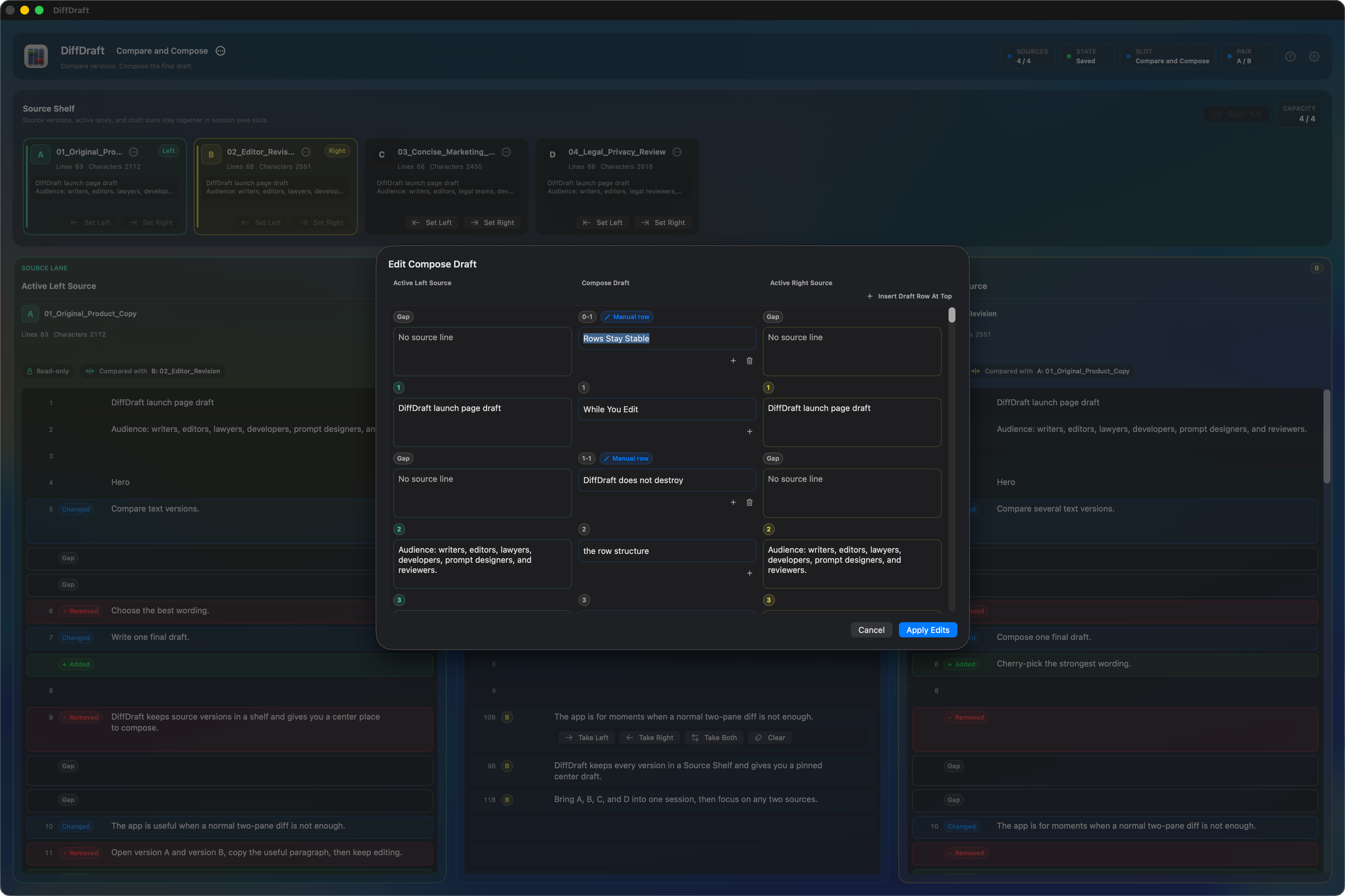
After taking text, edit the Compose Draft with normal writing behavior.
Custom draft rows remain in place while the left and right lanes show source gaps.
Switch sources
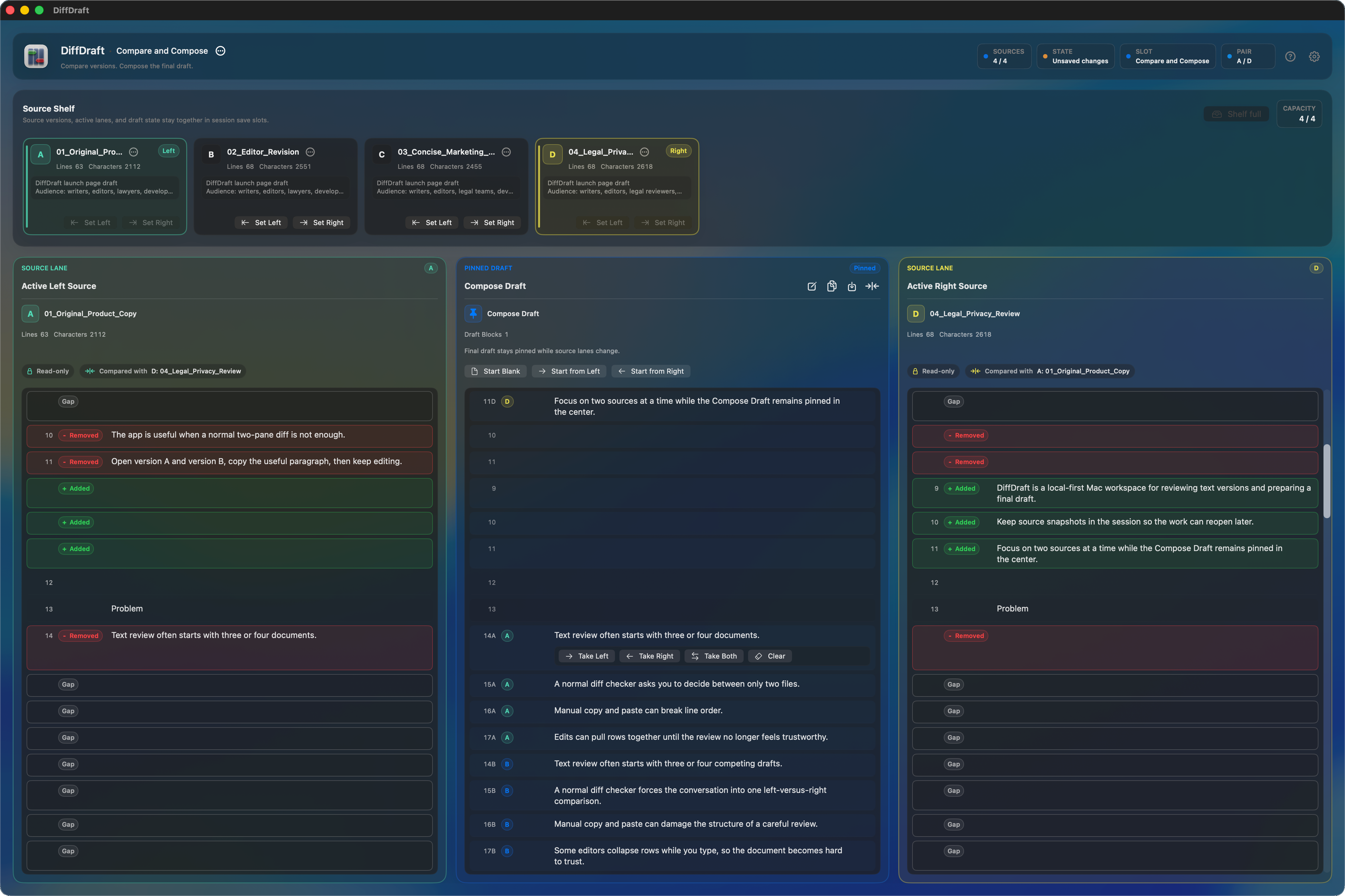
The Focus Canvas updates the left and right source lanes around the same draft.
The source shelf supports exploration without making the draft disposable.
Provenance and review
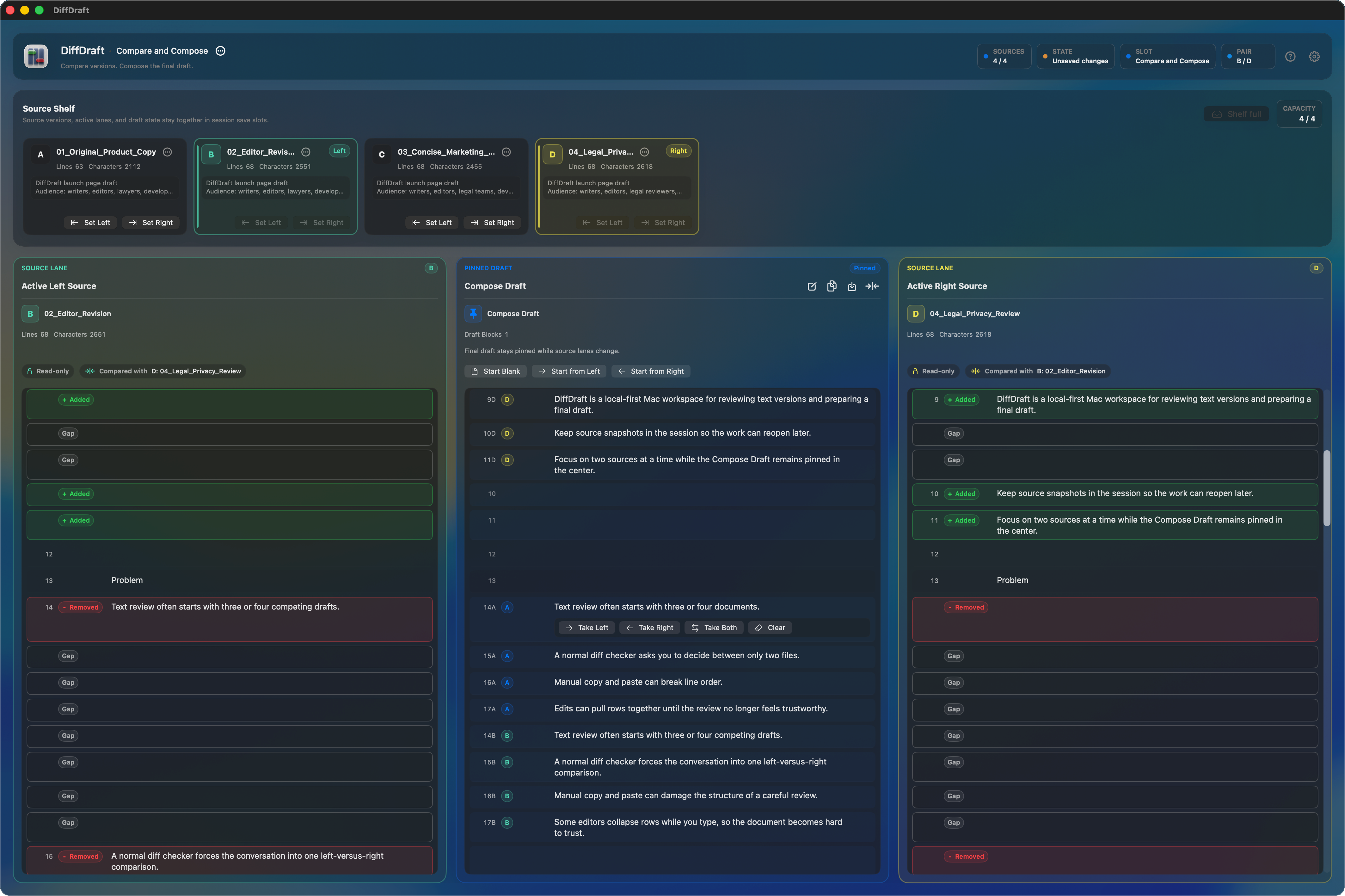
Badges provide context while you work without becoming part of the final export.
Draft areas that still need placement or review can remain marked until you resolve them.
Save slots and snapshots
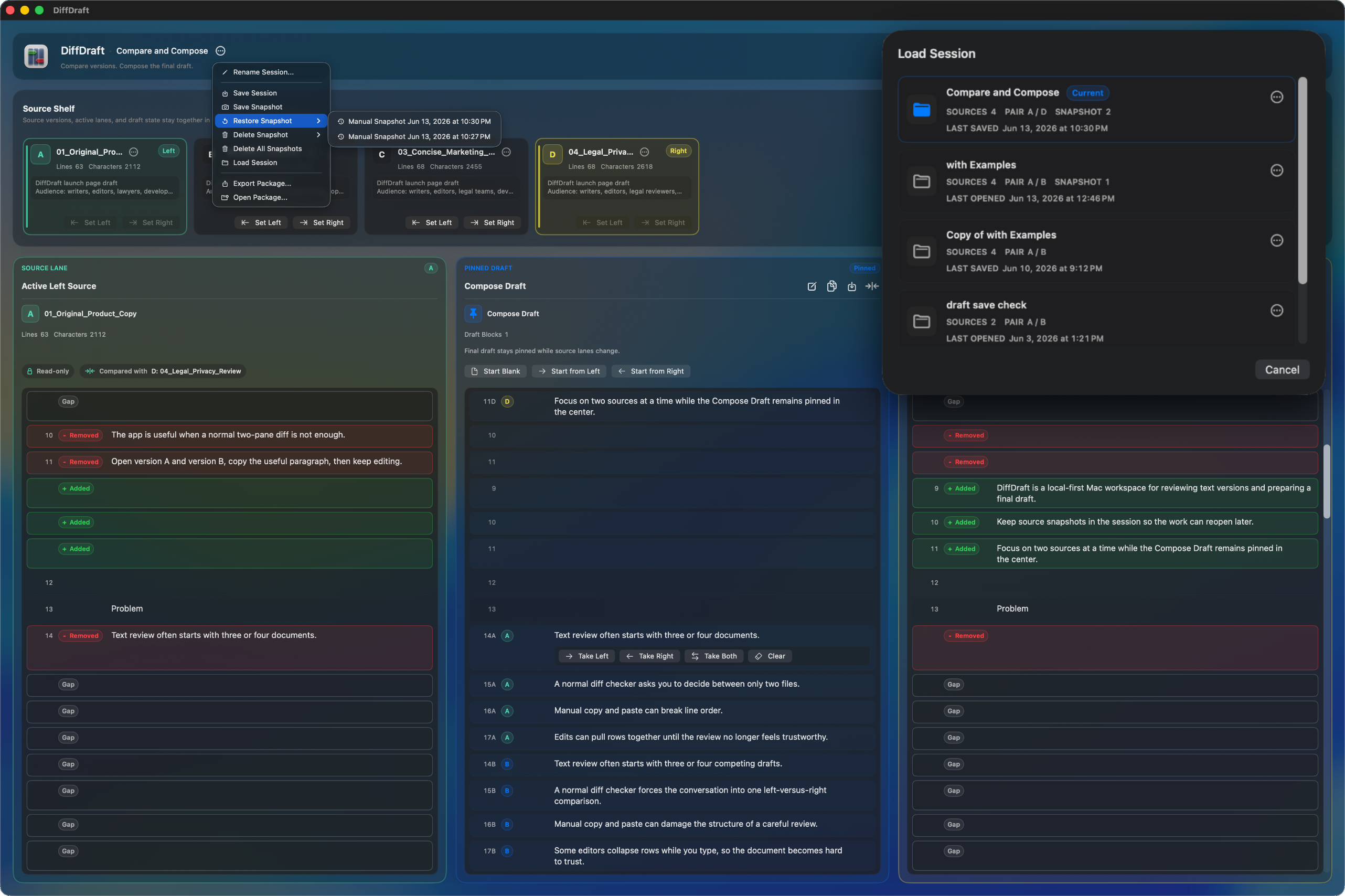
Manual snapshots give you a checkpoint before a risky rewrite.
Restore, duplicate, and manage saved sessions when the workflow needs another branch.
Clean export
The export emphasizes the final wording, not the mechanics used to review it.
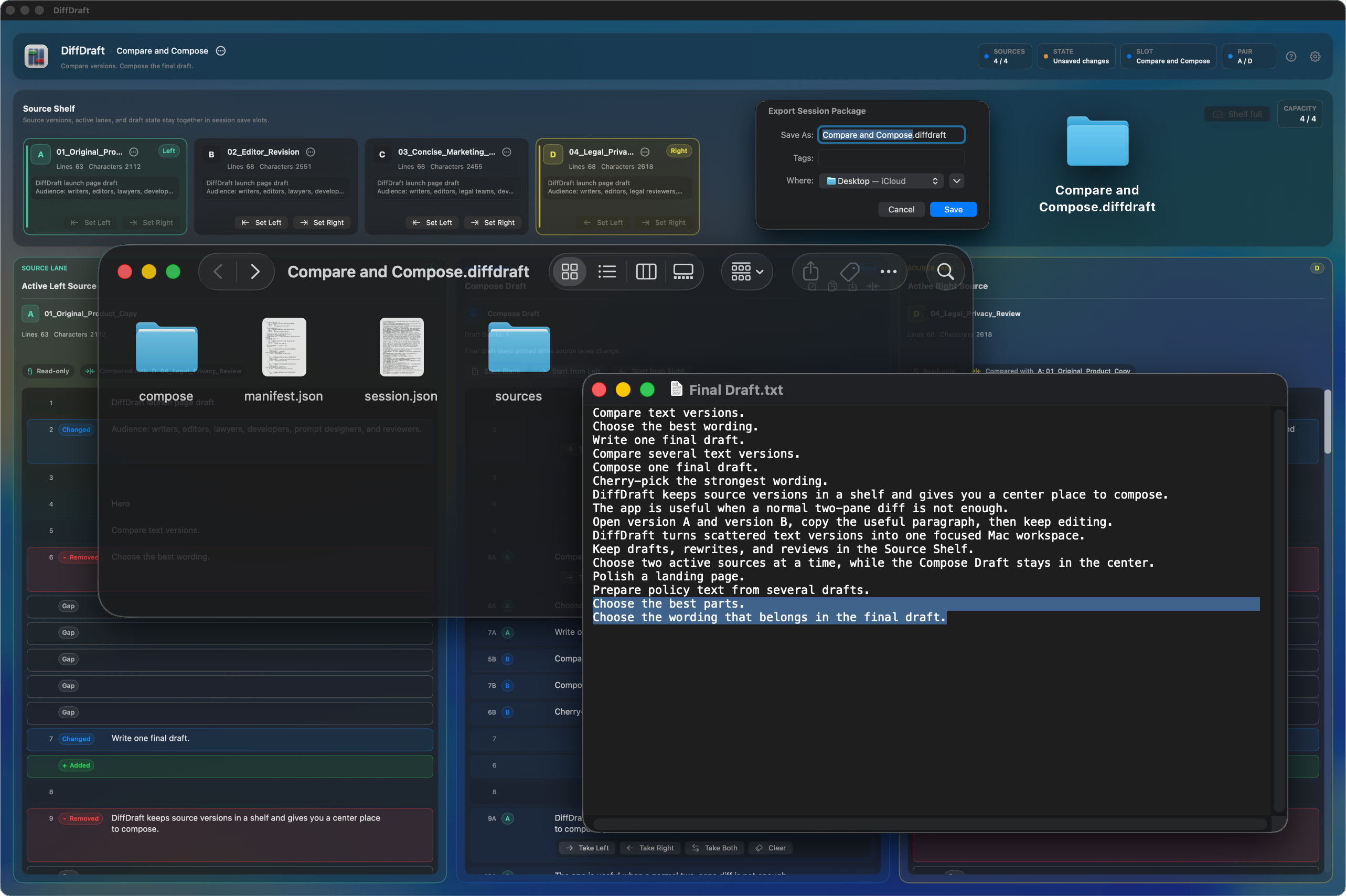
When needed, export a session package with embedded source snapshots for unfinished work.
Local-first, plain-text first
DiffDraft centers the work on your Mac and treats Markdown, JSON, YAML, CSV, XML, and code-like text as plain text.
No account needed to compare, compose, save, and export.
Source files are not silently modified by comparison or compose actions.
Final draft export uses clean Compose Draft text.
Useful for marketing copy, contract clauses, policies, docs, release notes, prompts, localization review, notes, scripts, proposals, and research drafts.
Mac App Store
Use the App Store link for DiffDraft, or keep support, privacy, and terms close while you work.